
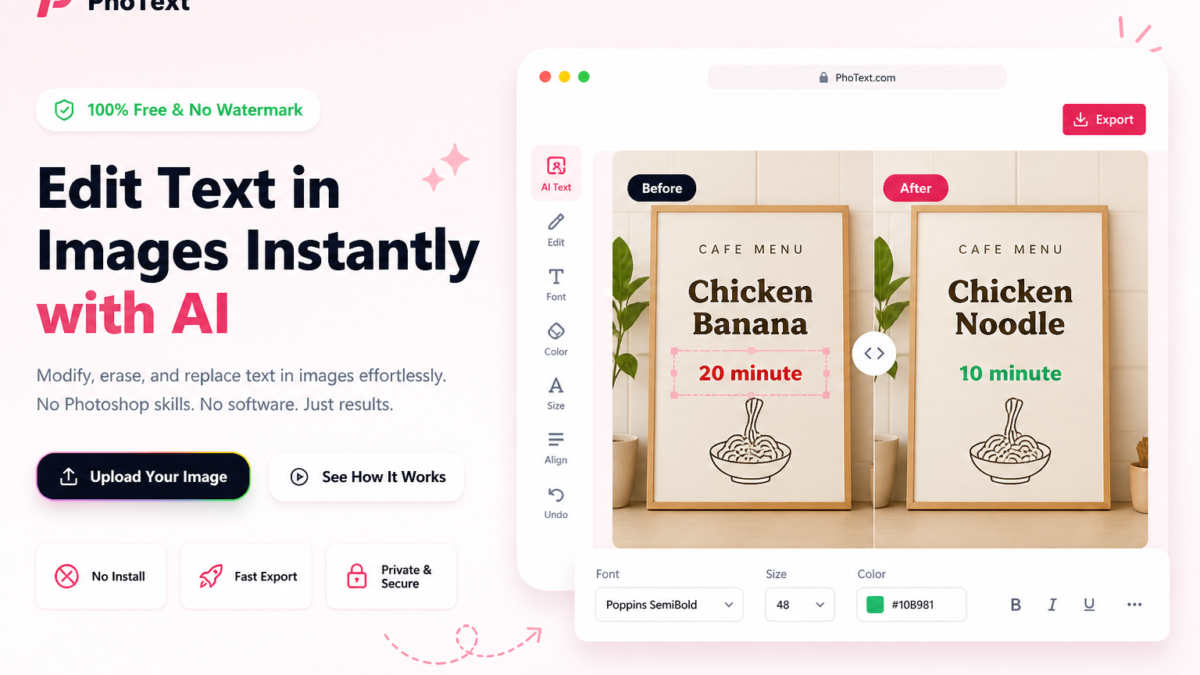
Editing documents once meant buying costly software, wrestling with clunky installs, and tracking endless versions. Today, you can edit documents online for free in seconds — right from your browser. Whether you’re annotating a PDF, fixing a typo in a Word file, adding text to an image, or signing a contract, free online tools make those tasks quicker and less painful.
One standout option is Photext.com — a free, browser-based toolkit that lets you edit, annotate, and transform documents and images with no installs. In this guide, you’ll get a clear, step-by-step look at how to edit documents online for free, which tools work best, and practical tips to get clean results every time.
What Does “Editing Documents Online” Actually Mean?
Editing documents online means opening and changing a file — PDF, image, Word doc, or plain text — entirely inside your web browser. No downloading software, no licensing headaches, and no waiting for updates.
Upload a file, make your edits, and download the finished version within minutes. That covers a lot of ground: adding text to PDFs, resizing images, signing forms, merging files, or removing photo backgrounds. Modern browser tools handle these jobs directly — no plugins required.
Why Use a Free Online Document Editor?
Desktop apps like Adobe Acrobat or Microsoft Word are powerful, but they’re often overkill for quick fixes. Free online tools win for everyday edits because they are:
- No installation required — works on any device with a browser, including mobile
- No cost — free tiers cover most common editing tasks
- Instant access — upload, edit, and download in under two minutes
- Cross-platform — consistent experience on Windows, Mac, Linux, iOS, and Android
- No file-size bloat — process files without adding extra software to your machine
According to a 2024 report by Statista, over 68% of knowledge workers regularly use browser-based tools for document tasks — a number that continues to climb. [Source: Statista, Digital Tools Usage Report, 2024]
How to Edit Documents Online Free with Photext.com
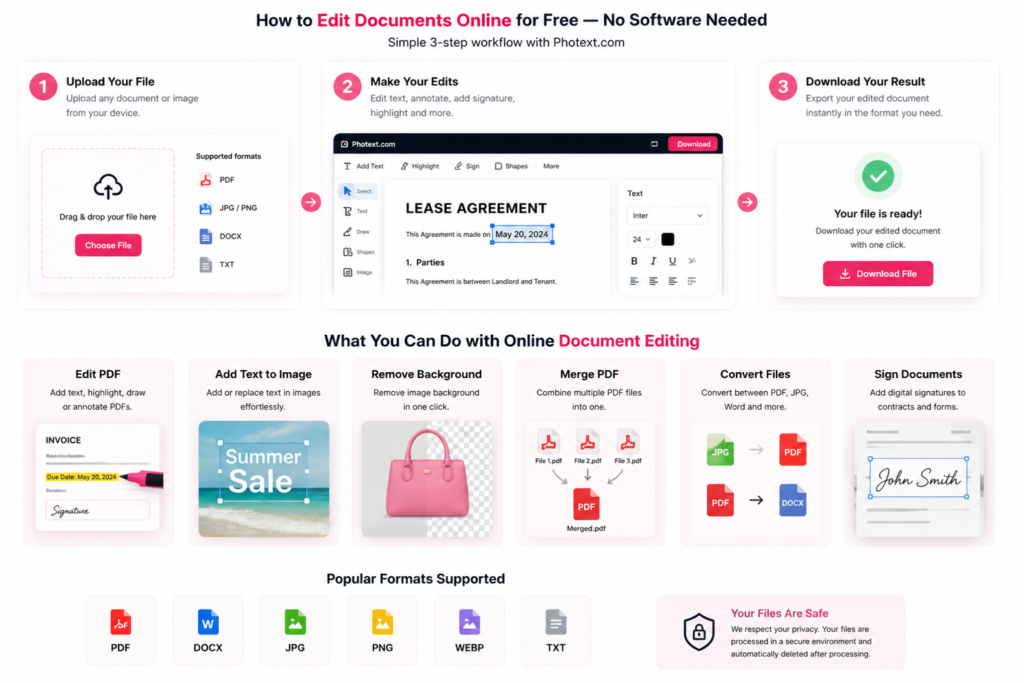
Photext.com is a free web toolkit built to handle both document and image edits in one place. Here’s a simple workflow for the most common tasks:
Step 1: Open Photext.com
Go to https://photext.com/ in any modern browser. For basic tools, no account is required — just land on the page and start working.
Step 2: Choose Your Tool
Pick the tool that matches your task from the homepage. Common options include:
- Edit PDF — Add text, annotations, or highlights to any PDF
- Add Text to Image — Overlay text onto photos or scanned documents
- Remove Background — Remove image backgrounds for cleaner visuals
- Merge / Split PDF — Combine multiple PDFs or extract specific pages
- Convert Documents — Convert between formats (JPG to PDF, PDF to Word, etc.)
Step 3: Upload Your File
Click the upload button to select a file from your device, or drag and drop it onto the tool. Most Photext.com tools accept files up to several megabytes for free.
Step 4: Make Your Edits
Use the on-screen editor to apply your changes. Typical document editing actions include:
- Click to place a text box anywhere on the page
- Choose font, size, and color
- Drag elements to reposition them
- Draw annotations or highlight important passages
Step 5: Download the Result
When you’re happy with the edits, click download. Your edited file is saved directly to your device — no account, no email, and no watermark on basic edits.
What Types of Documents Can You Edit Online for Free?
Most free editors, including Photext.com, support these common formats:
PDF Files
PDFs are the most frequent use case. You can add text, fill forms, sign documents, add stamps, highlight passages, or redact information — all without Adobe Acrobat. This includes using a free Adobe PDF editor or an Adobe PDF editor online to perform these tasks. If you’re wondering how can I edit a PDF document or how can you write on a PDF document, these tools provide easy solutions. For Mac users, an Adobe PDF editor for Mac or alternatives like Photext.com offer convenient options. You can also find Adobe Acrobat free PDF editor tools online that allow you to edit PDF without Acrobat.
Image Files (JPG, PNG, WEBP)
Add text overlays, resize, crop, annotate, or remove backgrounds from photos and scanned images. This is handy for scanned contracts, receipts, or ID-style documents.
Word Documents (DOCX)
Many tools let you open DOCX files, make edits, and export back to DOCX or PDF — perfect for quick corrections without launching full desktop Word.
Text Files (TXT, CSV)
Plain text and simple spreadsheet-style files can be opened, edited, and saved directly in the browser.
Best Use Cases for Free Online Document Editing
From our work with clients across industries, these scenarios benefit most from free online editors:
1. Filling Out PDF Forms — Government forms, rental agreements, and job applications can be completed by placing text boxes over non-fillable fields. If you need to create a fillable PDF or make a form fillable, many online editors support this functionality, including Adobe fillable PDF tools and alternatives.
2. Adding a Signature — Draw a signature with your mouse or touchscreen, or upload an image of your signature and place it where needed.
3. Annotating Research Papers or Reports — Highlight, comment, or underline passages for review without converting files.
4. Adding Text to Product Images — E-commerce sellers and marketers can add price tags, promos, or captions to product photos without design software.
5. Merging Multiple PDFs — Combine several PDFs into a single file to simplify sharing.
6. Quick Format Conversions — Convert JPG to PDF for uploads or export a Word file as PDF for distribution — all in seconds. Wondering how can I change PDF to Word? Many online editors provide this feature, including Adobe file editor and other Adobe Acrobat online editor tools.
Tips for Getting the Best Results When Editing Documents Online
Use these tips to work faster and produce higher-quality output:
- Use a modern browser — Chrome or Firefox offer the best compatibility with online editors
- Keep file sizes reasonable — Files under 10MB process faster; compress large scans first
- Save a backup first — Keep the original file before uploading, just in case
- Check export resolution — For image-heavy documents, set export to high resolution before downloading
- Use keyboard shortcuts — Most editors support Ctrl+Z to undo, Ctrl+S to save, and arrow keys to nudge elements
Are Free Online Document Editors Safe to Use?
Security is a real concern when uploading files. Look for these safeguards:
- HTTPS — Confirm the site uses HTTPS (check the padlock in the browser bar). Photext.com uses a secure connection.
- File deletion policy — Reputable services process files and delete them from servers quickly (often within an hour). Review the privacy policy before uploading sensitive material.
- No login requirement — Tools that don’t require accounts generally pose lower risk since there’s no profile tied to your files.
- Avoid uploading confidential documents — For highly sensitive files (legal contracts with personal data, medical records, financial statements), use offline software or a self-hosted solution instead.
Photext.com vs Other Free Online Document Editors
Photext.com stands out by combining document and image editing in one place — ideal for tasks that span both, like adding text to scanned images or preparing product visuals for upload. It offers a strong alternative to Adobe Acrobat edit PDF online and other acrobat online PDF editor tools, providing a free Acrobat PDF editor experience without the need for downloads or accounts.
Frequently Asked Questions
Is Photext.com really free to use?
Yes. Photext.com offers free access to its core editing tools with no account required. You can upload, edit, and download without paying. Some advanced features may have limits, but everyday document and image edits are available at no cost.
Can I edit a PDF without Adobe Acrobat?
Absolutely. Free online editors like Photext.com let you add text, annotations, signatures, and more to any PDF — no Adobe subscription necessary. Upload the file, edit it in the browser, and download the result. This answers questions like how can I edit a PDF file for free, how do you edit a PDF, or how to write in a PDF document.
Do I need to create an account to edit documents on Photext.com?
No account is required for basic edits. Visit the tool, upload your file, make changes, and download — all without registering or giving an email address.
Is it safe to upload documents to free online editors?
It depends on the file’s sensitivity. For everyday documents (forms, product images, general files), reputable tools that use HTTPS and have clear deletion policies are safe. Avoid uploading files with highly sensitive personal data like SSNs, bank details, or medical records to third-party tools.
Can I edit documents on my phone using Photext.com?
Yes. Photext.com runs in the browser and works on mobile devices. Open the site in Chrome or Safari, upload your file, edit with touch controls, and download the finished file.
What file formats does Photext.com support?
Photext.com supports common formats including PDF, JPG, PNG, WEBP, and DOCX across its tools. Exact support varies by tool within the platform.
Final Thoughts
You no longer need expensive software for basic document edits. Free online tools have closed the gap — and for most everyday tasks, they’re perfectly sufficient.
Photext.com is one of the most complete free options available, covering PDF editing, image text overlay, background removal, file conversion, and more — all in one browser-based platform with no download and no account required.
Bookmark the site so the next time you need to edit a document online for free, you’ll have the right tool ready in seconds.
| Edit Documents Online |
|---|
| Edit your documents in 1 click |