
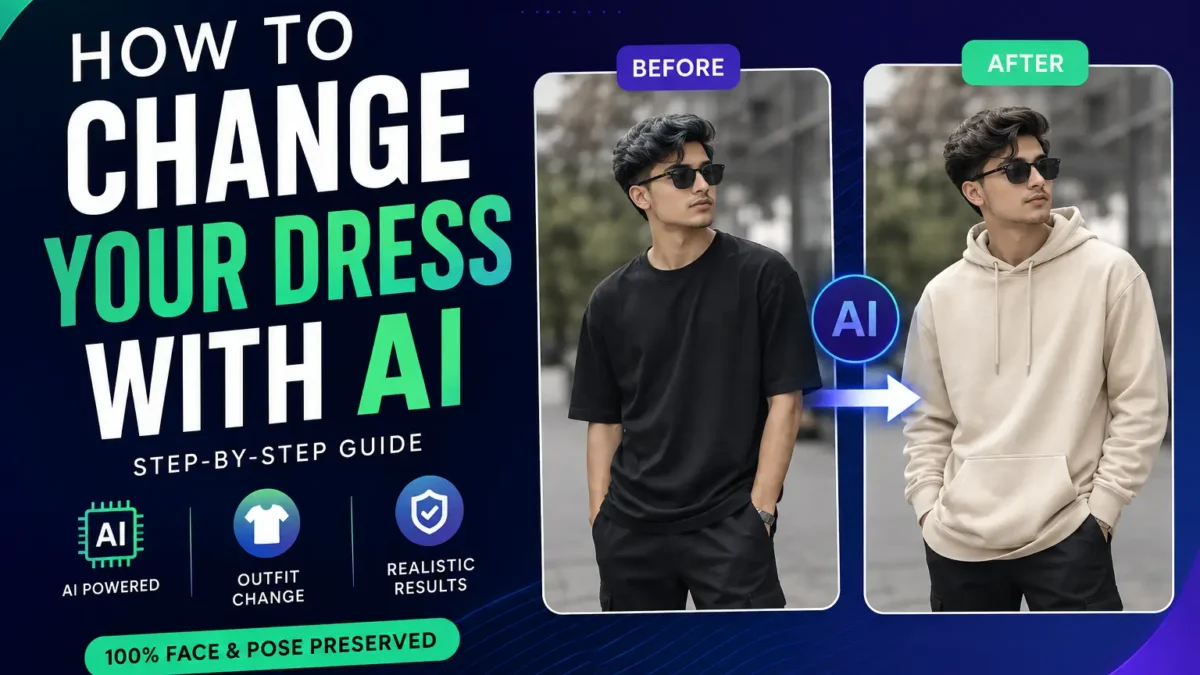
Artificial intelligence has completely changed modern photo editing. One of the most popular trends right now is AI outfit replacement, where users can change clothes in photos without changing the face, pose, lighting, or overall identity of the image.
Instead of manually editing clothes in Photoshop for hours, AI tools can now replace outfits automatically using a single prompt. The best part is that modern AI models can preserve facial identity while generating realistic folds, shadows, textures, and fabric details.
In this guide, you will learn exactly how to change your dress with AI step by step, which tools work best, how to write better prompts, and how to get realistic results without destroying image quality.
If you are interested in realistic AI editing, you can also read:
- How to Make a Realistic Faceswap With AI
- Edit Photos With Artificial Intelligence
- How to Create Cinematic Look in Photos
What Is AI Outfit Replacement?
AI outfit replacement is a process where artificial intelligence changes clothing in an image while keeping everything else unchanged.
The AI analyzes:
- Body shape
- Pose
- Perspective
- Lighting
- Skin visibility
- Shadows
- Fabric depth
Then it generates a completely new outfit that naturally blends into the original photo.
Modern AI tools can now:
- Replace casual clothes
- Generate formal outfits
- Add streetwear
- Create luxury fashion looks
- Change dresses realistically
- Preserve face identity
- Maintain image quality
This technology is now widely used for:
- Social media content
- Fashion photography
- Profile pictures
- AI influencer content
- Virtual styling
- Creative edits
Best AI Tools for Changing Clothes in Photos
1. ChatGPT Image Generation
ChatGPT image generation is currently one of the easiest methods for realistic outfit replacement.
Advantages:
- Excellent face preservation
- Better prompt understanding
- Realistic fabric textures
- Natural shadows and folds
- High consistency
Best for:
- Realistic edits
- Fashion-style replacements
- Clean portrait images
2. Gemini AI
How to Make Gemini Generate Your Face Consistently
Gemini AI works well for identity consistency and realistic edits when the prompt is detailed.
Advantages:
- Strong identity retention
- Better portrait understanding
- High-quality outputs
Disadvantages:
- Sometimes changes lighting
- Prompt sensitivity is higher
3. Kling AI
Kling AI is popular for realistic AI editing and motion-based image consistency.
Best for:
- Realistic cinematic edits
- Fashion visuals
- High-detail textures
Best Types of Photos for AI Outfit Changes
Not every image works perfectly with AI outfit replacement. The better the original photo, the more realistic the final result becomes.
Full Body Photos
Full body images allow AI tools to understand:
- Body proportions
- Clothing shape
- Fabric flow
- Perspective consistency
These usually produce the best results for dresses, suits, jackets, and streetwear edits.
Half Body Portraits
Half-body photos are excellent for:
- Hoodie changes
- T-shirt replacement
- Formal shirt edits
- Jacket transformations
Most AI tools preserve facial identity better in medium portrait shots.
Studio Photos
Professional studio photos create cleaner AI generations because:
- Lighting is balanced
- Shadows are controlled
- Background separation is easier
This helps the AI maintain realism during outfit generation.
Outdoor Photos
Outdoor photos can also work extremely well, especially during:
- Golden hour
- Soft daylight
- Cloudy weather
Natural lighting often creates more realistic fabric shadows.
Best Outfit Ideas to Try With AI
One of the biggest advantages of AI outfit replacement is experimenting with styles instantly without buying clothes or organizing photoshoots.
Streetwear Looks
Streetwear prompts usually perform very well with AI.
Popular styles:
- Oversized hoodies
- Cargo pants
- Layered outfits
- Sneakers
- Urban fashion
Luxury Fashion
Luxury-style prompts generate:
- Designer suits
- Premium dresses
- Formal wear
- High-fashion editorial looks
These work especially well in cinematic photos.
Traditional Clothing
AI tools can also generate:
- Sarees
- Panjabis
- Kimono styles
- Cultural dresses
- Wedding outfits
Detailed prompts improve realism significantly.
Casual Everyday Looks
Simple casual edits often look the most believable.
Examples:
- Denim jackets
- T-shirts
- Summer outfits
- Winter clothing
- Minimal fashion
Step-by-Step: How to Change Your Dress With AI
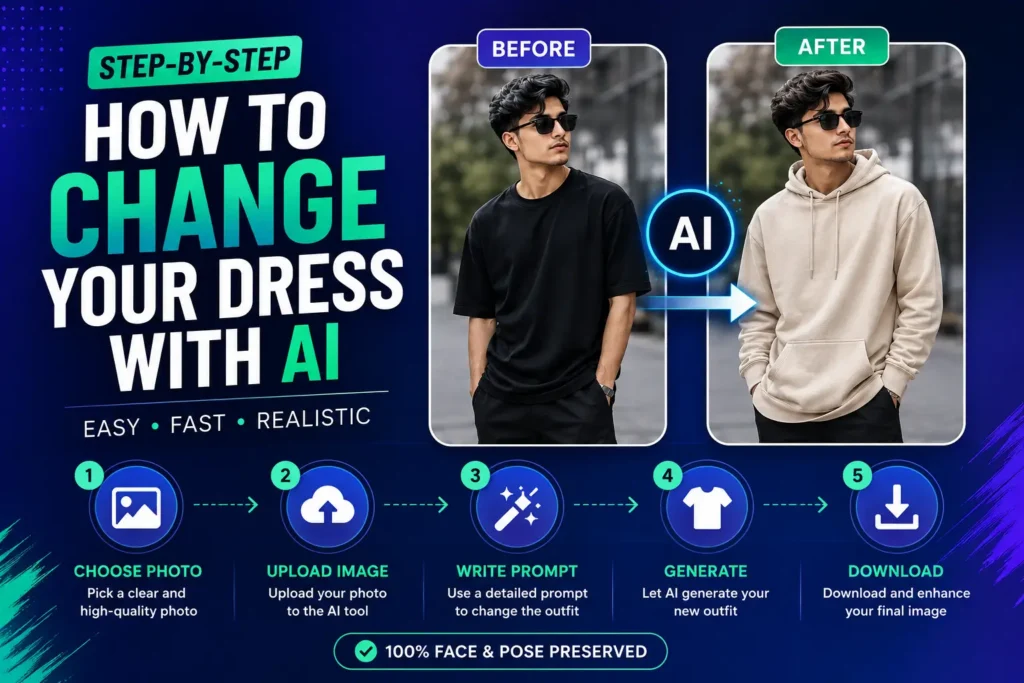
Step 1: Choose a High-Quality Photo
Your image quality directly affects the final AI output.
Best image types:
- Clear face visibility
- Good lighting
- Full body or half body shot
- Minimal blur
- Natural pose
Avoid:
- Heavy shadows
- Low-resolution images
- Cropped body parts
- Overexposed photos
Step 2: Upload the Photo to Your AI Tool
Upload the original image into your preferred AI platform.
Recommended:
- ChatGPT image editing
- Gemini AI
- Kling AI
Make sure the uploaded image is the original version without filters.
Step 3: Use a Detailed Outfit Replacement Prompt
The prompt is the most important part of the process.
A weak prompt causes:
- Face changes
- Unrealistic clothes
- Bad shadows
- Deformed body structure
- Identity loss
A detailed prompt helps the AI:
- Preserve facial identity
- Maintain realism
- Keep lighting consistent
- Generate realistic fabric folds
Step 4: Generate Multiple Variations
Do not rely on the first result.
Generate several outputs and compare:
- Clothing realism
- Face consistency
- Fabric quality
- Background preservation
- Natural shadows
Usually the second or third generation looks more realistic.
Step 5: Upscale the Final Image
After selecting the best result, upscale it for better quality.
You can use:
- AI upscalers
- 4K image enhancers
- Photo sharpening tools
You can also read:
How to Make Any Image 4K With AI
Tips for More Realistic AI Dress Changes
Keep the Prompt Extremely Specific
Mention:
- Fabric type
- Lighting consistency
- Face preservation
- Body pose retention
- Camera angle
Specific prompts always perform better.
Use Natural Clothing Descriptions
Instead of:
“cool outfit”
Use:
“oversized black streetwear hoodie with realistic fabric folds”
Detailed descriptions help the AI generate believable clothing textures.
Preserve Original Lighting
Always tell the AI:
- keep original lighting
- maintain original shadows
- preserve camera perspective
This prevents unrealistic edits.
How AI Maintains Face Identity During Outfit Changes
Many users worry that AI will completely change their face while replacing clothes. Modern AI models now use advanced image understanding to preserve identity more accurately.
The AI analyzes:
- Facial structure
- Skin tone
- Eye positioning
- Hair consistency
- Facial proportions
Then it only modifies selected areas like:
- Shirts
- Dresses
- Jackets
- Pants
- Accessories
The best prompts clearly instruct the AI to:
- preserve face identity
- keep original expression
- maintain skin texture
- avoid facial modifications
This is why detailed prompting is extremely important.
You can learn more about identity consistency here:
How to Make Gemini Generate Your Face Consistently
Common Mistakes to Avoid
Can AI Replace Clothes in Group Photos?
Yes, but results depend heavily on image complexity.
Group photos are more difficult because the AI must understand:
- Multiple body positions
- Different lighting angles
- Overlapping clothing
- Perspective depth
For better results:
- Edit one person at a time
- Use high-resolution images
- Avoid crowded scenes
- Use clear clothing references
Single-person images almost always produce better outfit replacement quality.
Overcomplicated Prompts
Too many instructions can confuse the AI.
Keep prompts detailed but clean.
Low-Quality Images
AI cannot fix extremely blurry photos properly.
Better inputs always create better outputs.
Using Aggressive Filters Before Editing
Beauty filters and heavy edits reduce AI consistency.
Use the original photo whenever possible.
Why AI Outfit Replacement Is Trending
AI clothing replacement is becoming extremely popular because it saves time and removes the need for complex editing software.
Creators now use AI for:
- Instagram content
- TikTok edits
- Fashion previews
- Virtual outfit testing
- AI influencer pages
- Professional-looking portraits
This trend is growing rapidly because modern AI tools now preserve realism far better than older generators.
If you enjoy viral AI image styles, you can also explore:
- Best Ultra Realistic Gemini AI Prompt for Viral Photos
- How to Generate Unique AI Images That Actually Stand Out
- How to Create AI Hairstyle Analysis Posters
Future of AI Fashion Editing
AI fashion editing is evolving extremely fast. Modern tools are already capable of:
- Virtual outfit previews
- AI-generated fashion shoots
- Realistic fabric simulation
- Digital clothing design
- AI influencer creation
In the future, AI outfit systems may allow:
- Real-time clothing replacement in videos
- Interactive fashion try-ons
- Personalized AI stylists
- Automatic brand outfit generation
This technology is becoming a major part of content creation, social media marketing, and digital fashion industries.
Final Thoughts
Changing clothes with AI is now easier than traditional editing methods. With the right image, detailed prompts, and a realistic AI tool, you can replace outfits while preserving the original identity, lighting, and realism of the photo.
The key difference between amateur and professional-looking AI edits is prompt quality. A detailed and controlled prompt produces significantly more realistic results.