Candlelight AI Portrait Photo Editing Prompt (Copy & Use)
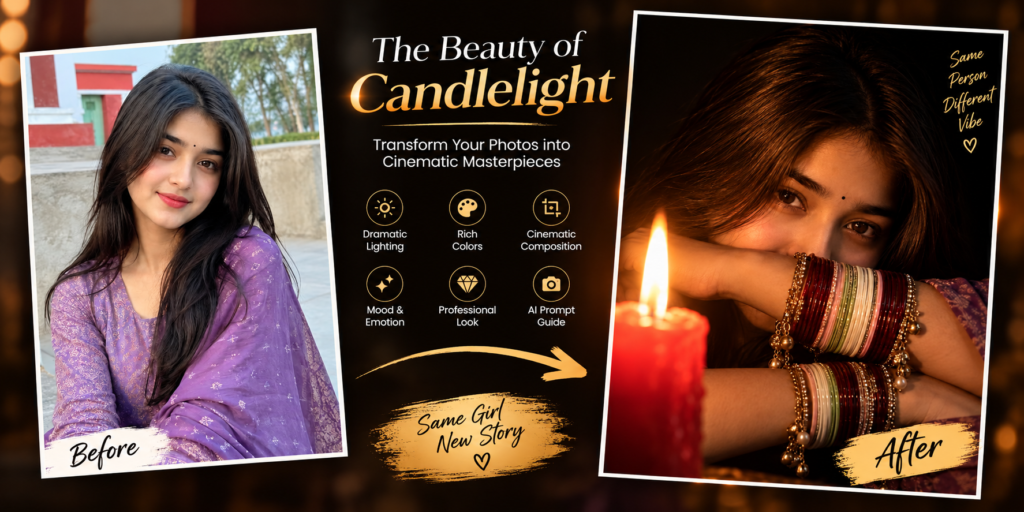
Dark cinematic AI portraits are becoming increasingly popular among creators who want dramatic and artistic visuals. The Candlelight AI Portrait Photo Editing Prompt creates a mysterious close-up portrait using a single red candle, deep shadows, traditional glass bangles, and natural facial details.
In this guide, you’ll learn what makes this AI photo style special, how the lighting works, recommended settings, useful editing tips, and how to create a realistic cinematic result using your favorite AI image generator.
What Is the Candlelight AI Portrait Photo Editing Prompt?
The Candlelight AI Portrait Photo Editing Prompt is a specialized prompt designed to transform a normal reference photo into an ultra-realistic cinematic low-light portrait.
The concept places the subject in almost complete darkness while a single burning red candle provides the primary source of illumination.
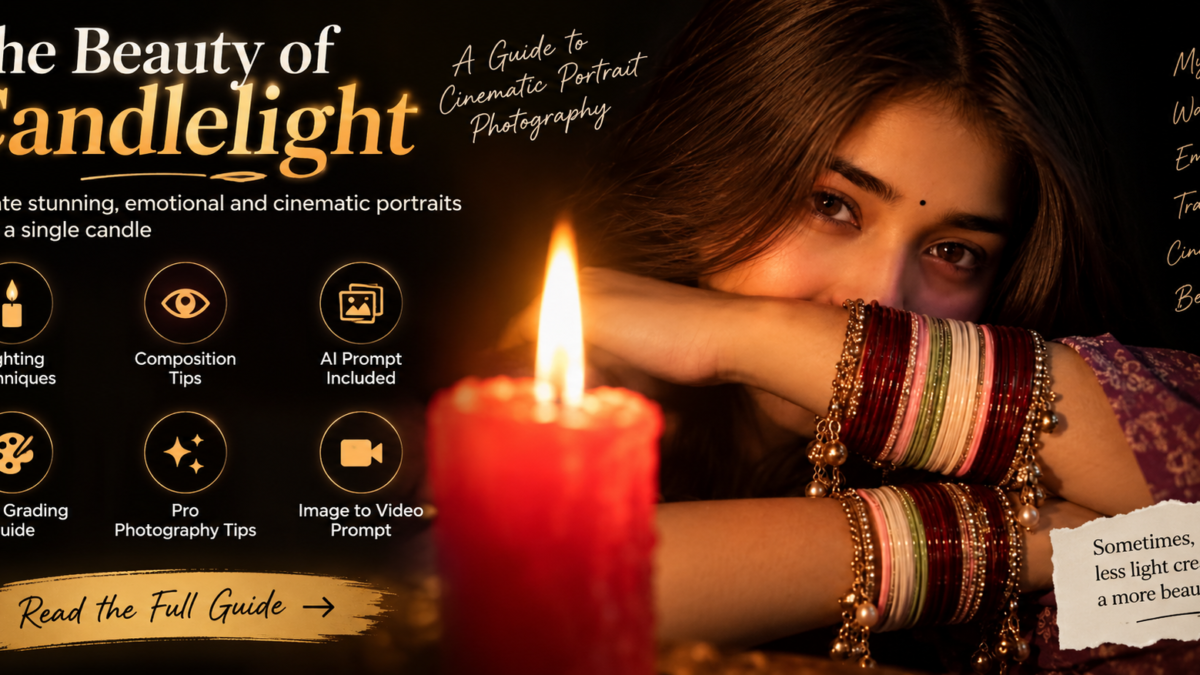
The woman’s crossed forearms cover the lower portion of her face, leaving only her eyes, eyebrows, and forehead visible. Colorful glass bangles and delicate ghungroo-style charms reflect the warm candlelight, adding traditional character and visual detail.
The goal is to create an image that looks like a professionally photographed cinematic portrait rather than a typical AI-generated image.
Why This AI Photo Style Looks Unique
🕯️ Single Candle Lighting
Using one candle as the primary light source creates dramatic shadows and warm highlights. The surrounding darkness makes the illuminated areas stand out naturally.
👁️ Strong Eye-Focused Composition
Because the lower half of the face is hidden, the eyes become the main focal point. A direct gaze toward the camera creates an intimate and mysterious feeling.
💫 Traditional Jewelry Details
Maroon, pink, green, and white glass bangles combined with hanging ghungroo-style charms add cultural detail and beautiful reflections under the candlelight.
🌑 Deep Black Background
The almost completely black background removes distractions and gives the portrait a clean cinematic appearance.
📱 Perfect for 9:16 Content
The vertical 9:16 composition works especially well for Instagram Reels, TikTok, YouTube Shorts, Pinterest, and mobile wallpapers.
Best AI Tools to Use This Prompt With
You can experiment with this style using different AI image-generation platforms, including:
ChatGPT Image Generator
Google Gemini
Midjourney
Flux AI
Leonardo AI
Ideogram
Bing Image Creator
Results can vary between platforms, so experimenting with different models and reference-image settings can help you achieve the look you want.
Recommended Settings for Best Output
| Setting | Recommended Value |
|---|---|
| Aspect Ratio | 9:16 Portrait |
| Quality | Ultra HD / 4K / 8K |
| Style | Ultra-Photorealistic |
| Lighting | Single Candlelight |
| Background | Deep Black |
| Camera Style | Cinematic Close-Up |
| Depth of Field | Shallow |
| Color Tone | Warm Amber / Golden |
| Detail Level | Ultra High |
Tips to Get the Best Result
Upload a clear reference photo with good facial visibility.
Clearly describe the crossed-arm position.
Specify that only the eyes, eyebrows, and forehead should remain visible.
Mention that the candle is the only major light source.
Describe the exact colors and details of the bangles.
Use phrases such as “realistic skin texture” and “natural facial proportions.”
Keep the background completely dark to maintain the cinematic mood.
Use a 9:16 aspect ratio for social media content.
Generate several variations and select the most natural result.
If your AI tool supports negative prompts, use them to reduce distorted hands, duplicated jewelry, artificial skin, and unwanted lighting.
Who Should Use This AI Portrait Style?
This candlelight portrait concept can be useful for:
Instagram creators
TikTok creators
AI artists
Photography enthusiasts
YouTube content creators
Digital artists
Social media designers
AI photo editing enthusiasts
Pinterest creators
Frequently Asked Questions
Can I use this prompt with my own photo?
Yes. Uploading a clear reference image can help maintain the subject’s facial identity and overall appearance.
Which aspect ratio should I use?
A 9:16 portrait ratio is recommended for this particular composition, especially when creating content for mobile-first social media platforms.
Do I need a real candle for the edit?
No. The candle and lighting can be generated digitally by an AI image-generation tool.
Can I change the bangle colors?
Yes. You can customize the colors to match your preferred outfit, jewelry, or cultural style.
Can this image be converted into a video?
Yes. The generated portrait can also be used as a reference for image-to-video tools. Subtle candle flickering, gentle eye movement, and very small jewelry movements can create a cinematic short video.
Is the prompt free to use?
Yes. The prompt itself can be used freely. However, some AI platforms may require credits or a paid subscription for image generation.
Final Thoughts
The Candlelight AI Portrait Photo Editing Prompt is a simple but powerful way to create a dramatic and artistic portrait.
The combination of a single red candle, deep black shadows, expressive eyes, traditional glass bangles, and realistic skin texture creates a distinctive cinematic atmosphere.
For the best result, use a clear reference photo, maintain the 9:16 composition, and keep the lighting simple.
Sometimes, you don’t need a complicated background or multiple lights to create a memorable image.
One candle can be enough to tell the entire story.