
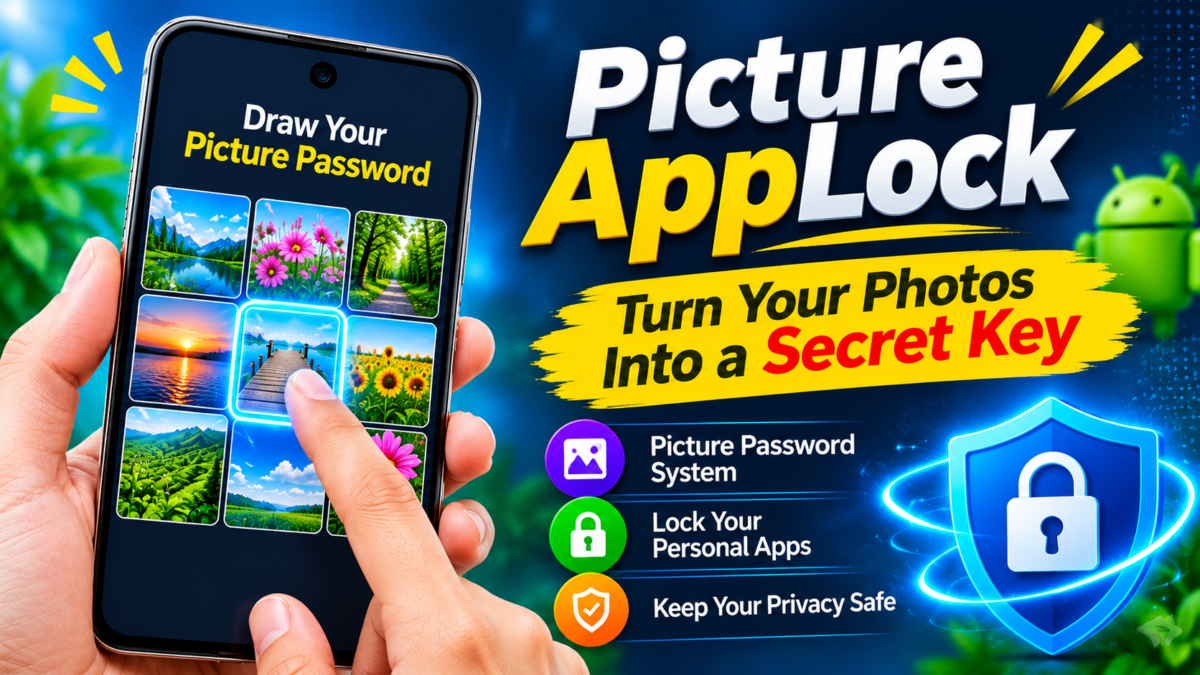
Keeping personal information safe on your smartphone is more important than ever. From private photos and personal conversations to social media accounts, our devices contain plenty of information that we do not always want others to access.
If you are looking for a different way to protect your personal applications, Picture AppLock: Lock the Apps might be an interesting option.
Unlike traditional app lockers that mainly rely on PINs and patterns, Picture AppLock introduces a picture-based password system that allows users to use an image as part of their app-locking experience.
In this article, we will explore its features, functionality, advantages, disadvantages, and everything you should know before using it.
What Is Picture AppLock?
Picture AppLock is an Android application developed by CFY Apps. It is designed to help users protect selected applications using a picture-based password system.
The main concept behind this application is quite different from conventional app lockers. Instead of relying entirely on a traditional PIN or pattern, users can create a picture-based unlocking method.
This approach provides an alternative experience for people who want to add an extra layer of privacy to their Android applications.
Whether you want to protect your social media apps, personal gallery, or other selected applications, Picture AppLock offers a different approach to app locking.
Key Features of Picture AppLock
Let’s take a closer look at some of the notable features of this application.
1. Unique Picture Password System
The most interesting feature of Picture AppLock is its picture-based password functionality.
Users can select a preferred image and create a unique unlocking method. This makes the app different from many traditional app lockers that primarily use PINs or patterns.
2. Lock Your Personal Applications
Picture AppLock is designed to help users protect selected applications installed on their Android smartphones.
You can use an app locker to add an extra privacy layer to applications such as:
Facebook
WhatsApp
Messenger
Gallery
Photos
Other personal applications
Available application-locking options may depend on your Android version and device settings.
3. Simple User Interface
The application features a straightforward interface that makes navigation and initial configuration easier.
Users can explore the available options and configure their preferred locking method without dealing with an unnecessarily complicated layout.
4. PIN Backup Option
Another useful element shown in the application’s promotional screenshots is a PIN-related backup option.
Having an alternative unlocking method can be helpful if you cannot access your primary picture-based password.
However, the exact recovery options may vary depending on the application version.
5. Additional Privacy for Android Users
Picture AppLock can help reduce unwanted access to selected applications by adding an extra locking step.
This can be useful when sharing your smartphone with friends, family members, or other people.
Keep in mind that an additional app lock does not replace your phone’s built-in security features.
How to Use Picture AppLock on Android
Getting started with Picture AppLock is relatively simple. Follow the general setup process below.
Step 1: Install the Application
Install Picture AppLock on your Android smartphone from a trusted application source.
Step 2: Open the Application
Launch the app after installation and follow the initial setup instructions.
Step 3: Create a Picture Password
Select your preferred image and follow the available instructions to configure your picture-based password.
Step 4: Select Applications
Choose the applications you want to protect using the app-locking feature.
Step 5: Complete the Setup
Finish the required configuration and test the locking functionality to make sure everything works properly.
Note: The exact setup process may differ depending on the application version, device manufacturer, and Android operating system.
Advantages and Disadvantages
Before using any third-party application, it is important to understand its potential benefits and limitations.
Advantages
Offers a unique picture-based password concept.
Provides an alternative to traditional PIN and pattern locking.
Helps add an extra privacy layer to selected applications.
Features a relatively simple user interface.
Offers a different app-locking experience for Android users.
Disadvantages
The application contains advertisements.
Some features may require in-app purchases.
Compatibility may vary across Android versions.
Certain permissions may be necessary for its functionality.
It cannot guarantee complete protection against every security threat.
Picture AppLock – Application Information
Here are the available details of Picture AppLock based on its provided application listing screenshot.
| Information | Details |
|---|---|
| App Name | Picture AppLock: Lock the Apps |
| Developer | CFY Apps |
| Category | Tools |
| Platform | Android |
| Application Type | App Locker |
| App Size | 4.6 MB |
| Rating | 4.4 Stars |
| Reviews | 910 Reviews |
| Contains Ads | Yes |
| In-App Purchases | Yes |
| Age Rating | 3+ |
Note: The application information above is based on the provided screenshot. Ratings, review counts, file size, and availability may change over time.
Is Picture AppLock Safe to Use?
Application security should always be considered before installing any third-party app locker.
Picture AppLock is designed to provide an additional locking mechanism for selected applications. However, users should not assume that installing an app locker guarantees complete privacy or protection.
Before using it, consider the following precautions:
Check the application developer and available version information.
Review all requested permissions before granting access.
Avoid downloading modified or unofficial APK files.
Keep your Android operating system updated.
Use a strong screen lock on your smartphone.
Never share your personal passwords with others.
Following these precautions can help you make a more informed decision when using third-party security applications.
Who Should Use Picture AppLock?
Picture AppLock may be worth exploring for Android users who:
Prefer picture-based password concepts.
Want an alternative to traditional app-locking methods.
Need an additional privacy layer for selected applications.
Enjoy trying different Android customization and security tools.
However, users who require advanced security features should also consider the built-in privacy and application-locking options available on their smartphones.
Final Verdict
Picture AppLock: Lock the Apps offers an interesting approach to protecting personal applications on Android devices.
Its picture-based password concept makes it different from conventional app lockers that primarily depend on PINs and patterns. Along with its straightforward interface and application-locking functionality, it provides an alternative experience for users interested in smartphone privacy.
Although it has some limitations, including advertisements and possible compatibility differences, it may be worth exploring if you want to try a different app-locking method.
Overall, Picture AppLock is an interesting option for Android users who want to explore picture-based application security.
What do you think about using pictures instead of traditional PINs and patterns to lock your apps?