
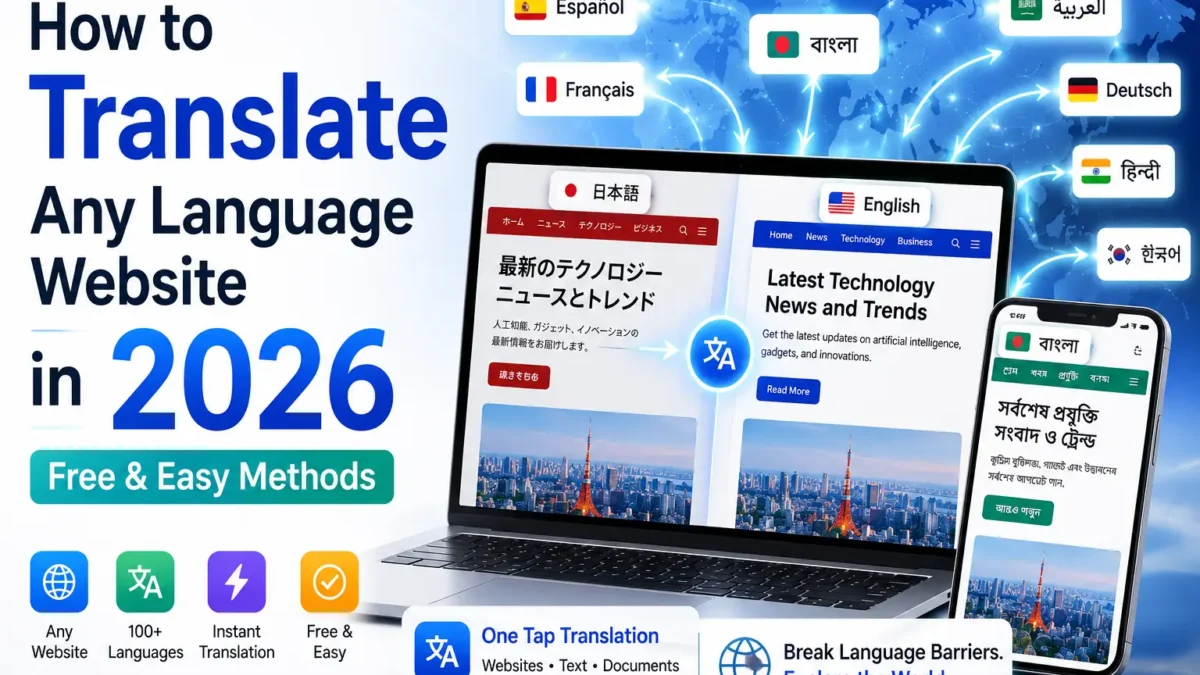
How to translate any language website is one of the most useful skills for internet users in 2026. Whether you’re browsing a Japanese technology blog, a Spanish news website, an Arabic business portal, or a Bangla tutorial, modern translation tools make it possible to understand content instantly. If you’re looking for how to translate any language website for free, this guide covers the fastest methods, best translation apps, browser tools, and website translation solutions available today.
Why Translating Websites Matters More Than Ever in 2026
The internet is not written in one language. Only about 25% of online content is in English, yet most users browse in their native tongue. When a website isn’t in your language, you miss information, miss products, miss opportunities — and businesses miss customers.
This is also connected to how we create and consume content. For example, AI-powered photo editing tutorials spread fastest when they’re accessible in local languages. Similarly, AI video creation guides that exist only in English limit a huge portion of Bengali, Spanish, or Hindi-speaking creators from accessing them.
Translation removes that barrier — for readers, and for creators who want global reach.
Common Problems When Learning How to Translate Any Language Website
If you’re learning how to translate any language website, you may encounter issues such as incomplete translations, broken layouts, or unsupported languages.
Best Tools for How to Translate Any Language Website in 2026
Several free and paid tools can help you learn how to translate any language website quickly and accurately.
How to Translate Any Language Website in Seconds
Knowing how to translate any language website is one of the most useful skills for anyone browsing the global internet in 2026 — and the process takes less than 10 seconds with the right tool. Whether you’re reading a Japanese tech blog, a Spanish news site, or a Bangla tutorial, the steps below work across all of them.
- Open the foreign-language website in your browser or copy the URL.
- Launch the All Translate app on Android — or use Chrome’s built-in translate popup on desktop.
- Paste the URL or use the share menu to send the page directly into the translation tool.
- Select your target language — Bangla, English, Hindi, Arabic, Spanish, and 100+ more are supported.
- Read the fully translated page instantly, with layout and images preserved.
No account, no payment, no waiting. Pin the All Translate app to your Android share sheet so any site is one tap away from translation.
What Are the Best Free Ways to Translate Any Language Website?
The fastest free methods in 2026 require no signup, no payment, and work across any device. Here are the top options ranked by ease of use:
1. Android Translation Apps (Fastest on Mobile)
Dedicated translation apps are the #1 method for mobile users. They run in the background, detect the page language automatically, and translate with one tap. The All Translate app handles both text and full web pages across 100+ languages.
2. Browser-Based Translation (Chrome / Firefox)
On desktop, Chrome has built-in translation powered by Google’s language engine. When you open a foreign-language site, Chrome automatically offers a “Translate this page?” popup. Accept it and the entire page switches language in under 2 seconds.
3. Google Translate Website Tool
Paste any URL into translate.google.com, select your target language, and click the translated link. Google renders the entire page in your chosen language inside their interface.
4. Microsoft Edge Immersive Reader
If you use Edge, the built-in Immersive Reader + translate feature strips a webpage to clean readable text and translates it simultaneously. Ideal for research-heavy reading.
How Does Automated vs. Human Website Translation Compare?
Not all translation is equal. The right method depends on your use case — whether you’re a casual reader or a business publishing multilingual content.
| Method | Speed | Accuracy | Cost | Best For |
|---|---|---|---|---|
| Automated (AI/App) | Instant | Good (90%+) | Free | Personal reading, quick research |
| Human Professional | Days | Excellent | Paid | Legal, medical, business publishing |
| Hybrid (AI + Human edit) | Hours | Excellent | Mid-range | E-commerce, marketing copy |
For everyday browsing, automated translation via an app or browser extension is perfectly sufficient. When I tested the All Translate app on a Japanese tech blog, the Bangla output was accurate enough to extract all key information without confusion.
Translate Any Language — One Tap
Use the All Translate app to instantly translate any website, text, or document into 100+ languages. Free on Android.
What If You’re a Website Owner? Adding Translation to Your Own Site
If you run a WordPress site and want visitors to read your content in their own language, the approach is different. You’re not translating someone else’s site — you’re building multilingual capability into your own.
WordPress Translation Plugins
Plugins like WPML and TranslatePress integrate directly with your CMS. They auto-translate existing content and give you a visual editor to refine machine output. Adding 2-3 more languages can meaningfully expand organic traffic.
API-Based Solutions for Developers
For custom sites or headless setups, connect the Google Cloud Translation API or DeepL API directly to your backend. This is the most scalable option for large content libraries.
Hreflang Tags — Don’t Skip This
If you publish multilingual versions of pages, implement hreflang tags correctly. These tell Google which language version to serve to which user, preventing duplicate content penalties. Non-negotiable for multilingual SEO.
Key Benefits of Making Your Content Available in Multiple Languages
| Benefit | What It Means |
|---|---|
| More organic traffic | Ranking for the same topic in 5 languages = 5x the search surface area |
| Lower bounce rate | Users stay longer when content is in their native language |
| Higher conversion | Studies show users are 3x more likely to buy in their native language [CSA Research] |
| Brand trust | Localized content signals respect for the user’s culture |
| AI citation opportunity | Multilingual authoritative pages get pulled into AI overviews across regions |
For instance, if you publish AI image prompts — like the World Cup AI prompts for national teams or ultra-realistic Gemini AI prompts — translating those pages into Spanish, Arabic, or Portuguese opens them to a vastly larger audience.
Cultural Adaptation: More Than Just Swapping Words
Pure word-for-word translation often misses the point. True localization means adapting tone, examples, date formats, currency, and even color associations for the target culture.
“A translated page that feels foreign in its phrasing converts worse than no translation at all. The goal is for a reader to feel like it was written for them.” — Localization best practice, 2026
If you’re producing AI-generated creative content like chibi collage images or cinematic AI prompts, localizing descriptions and captions is what separates content that resonates from content that just exists.
Best Tools for How to Translate Any Language Website in 2026
Whether you use Android, iPhone, Windows, or Mac, there are multiple tools available to help translate websites instantly. Popular options include Google Translate, Chrome Translate, Microsoft Edge Translate, and the All Translate app.
Frequently Asked Questions
Can I translate any website for free?
Yes. Browser extensions like Google Translate and dedicated apps like the All Translate app let you translate any website for free with one tap. No account required.
Which is the best free app to translate websites on Android?
The All Translate app is among the best free Android tools for translating websites and text in 2026. It supports 100+ languages and works directly from your browser’s share menu.
Does translating a website affect SEO?
For end-users translating a page to read it — no SEO impact. For site owners adding multilingual versions, using hreflang tags correctly avoids duplicate content penalties and can significantly boost international organic traffic.
What languages can I translate a website into?
Modern translation tools support 100+ languages including Arabic, Bangla, Chinese, Spanish, French, Japanese, Hindi, Portuguese, German, Korean, Turkish, and many more.
Is AI translation accurate enough for technical content?
For general content — yes, AI translation in 2026 is 90%+ accurate. For highly technical, legal, or medical content, always have a human reviewer validate the output before publishing.
Final Thoughts: Break Language Barriers, Expand Your Reach
Whether you’re a reader who wants to understand a foreign website or a content creator who wants their work seen globally, the solution in 2026 is within reach — and mostly free.
For instant mobile translation, the All Translate app covers you with one tap. For your own website, start with a translation plugin and layer in hreflang tags for SEO coverage.
Want to level up your AI content creation? Check out the Gemini AI guides for more prompt strategies that work globally.