
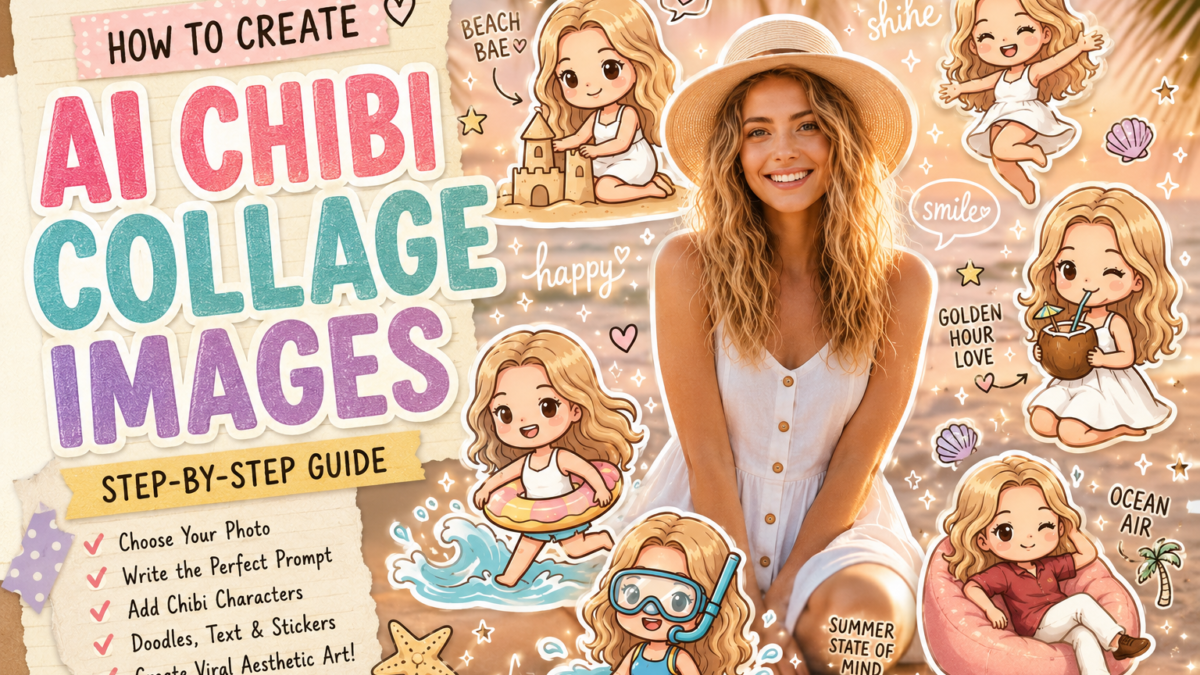
Social media is currently flooded with aesthetic AI collage portraits featuring cute 3D chibi versions of people, handwritten doodles, pastel beach vibes, sticker-style outlines, and dreamy scrapbook layouts. These images perform extremely well on Instagram, Pinterest, TikTok, and Facebook because they combine personalization, nostalgia, and playful visual storytelling.
The best part is that you do not need advanced design skills or expensive software to create them.
With the right prompt structure and a reference photo, AI tools can generate highly polished “Mini Me” collage artwork in minutes.
In this guide, you will learn exactly how to create these trending AI images step by step.
What Are AI Chibi Collage Images?
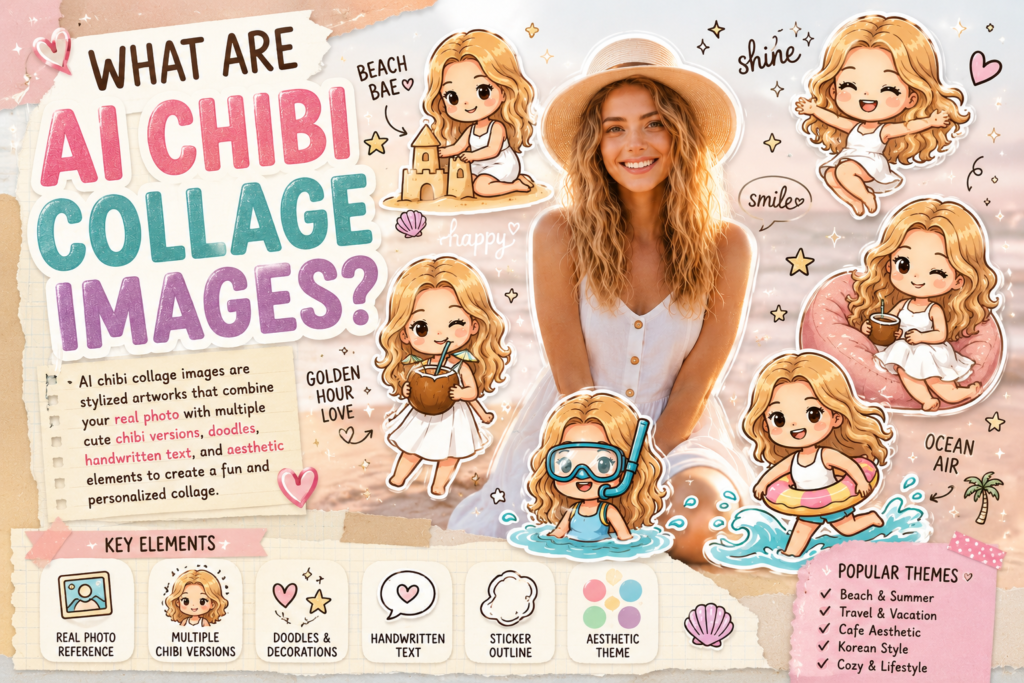
AI chibi collage images are stylized digital artworks that combine:
- A real portrait photo
- Multiple cute cartoon/chibi versions of the same person
- Doodle-style decorations
- Sticker outlines
- Handwritten aesthetic text
- Scrapbook or Pinterest-style layouts
- Soft pastel color grading
These images usually follow themes such as:
- Beach vacation
- Summer vibes
- Coffee aesthetic
- K-pop inspired edits
- Cozy lifestyle
- Dreamy sunset portraits
- Korean-style Instagram moodboards
The AI uses the uploaded face as a visual reference while transforming the composition into a highly aesthetic collage.
Why These Images Go Viral
These collage edits are popular because they are:
Highly Personalized
The AI keeps the original facial features while creating cute mini versions of the person.
Visually Dense
There are many elements in a single frame:
- Chibi characters
- Doodles
- Sparkles
- Quotes
- Icons
- Pastel textures
This increases watch time and engagement.
Want to generate spotify style ai image? then you can see this article : How to Make Trending Spotify-Style AI Images With Real Spotify UI Elements
Perfect for Social Media
The vertical 4:5 ratio fits Instagram perfectly and works well for Pinterest pins and TikTok covers.
Emotionally Appealing
The cute expressions, warm lighting, and playful layouts trigger emotional reactions and shares.
What You Need Before Starting
You only need three things:
1. A Clear Portrait Photo
Use:
- Soft lighting
- Visible face
- Minimal blur
- Clean background
Outdoor golden-hour portraits work especially well.
2. An AI Image Generator
You can use:
- ChatGPT
- Gemini
- Midjourney
- Leonardo AI
- Flux-based tools
- Playground AI
Choose a tool that supports:
- Image upload/reference image input
- Detailed prompting
- High-quality portrait generation
3. A Good Prompt
The prompt is the most important part.
A weak prompt creates generic cartoons.
A detailed prompt creates cinematic, viral-quality collage art.
Step-by-Step Process
Step 1: Upload Your Photo
Start by uploading a portrait image.
For best results:
- Use a centered composition
- Keep the face clearly visible
- Avoid sunglasses or heavy shadows
- Use warm or natural lighting
The AI will use this image as the facial reference.
Step 2: Decide on a Theme
The theme controls the overall mood of the collage.
Popular themes include:
| Theme | Visual Style |
|---|---|
| Beach Summer | Palm trees, ocean, sunset |
| Café Aesthetic | Coffee cups, warm indoor lights |
| Travel Diary | Maps, stickers, luggage |
| Kawaii Korean | Pastel colors, hearts, sparkles |
| Cozy Winter | Snow, sweaters, soft lights |
| Music Moodboard | Headphones, lyrics, dreamy glow |
Choose one consistent style for the entire image.
Step 3: Add Chibi Character Variations
This is the most important visual element.
Instead of creating one cartoon version, ask the AI to generate multiple mini chibi versions around the main portrait.
Examples:
- Waving happily
- Sitting relaxed
- Holding a drink
- Running on the beach
- Jumping excitedly
- Wearing floaties
- Taking selfies
- Playing with sand
This creates a lively collage composition.
Step 4: Add Doodle Elements
The doodles make the image feel handmade and Pinterest-worthy.
Popular doodles include:
- Stars
- Hearts
- Sparkles
- Motion lines
- Clouds
- Arrows
- Cute icons
- Smiley faces
- Shells
- Palm trees
White doodles usually work best because they contrast nicely against pastel backgrounds.
Step 5: Include Handwritten Text
Aesthetic handwritten text dramatically improves the final look.
Examples:
- “shine”
- “happy”
- “beach bae”
- “ocean air”
- “golden hour”
- “summer state of mind”
- “smile”
- “bright day”
Use casual handwritten or doodle-style typography.
Keep the phrases short.
Step 6: Use Sticker-Style Outlines
Most viral examples use:
- White outlines
- Soft shadows
- Glossy cartoon rendering
This gives the image a sticker-pack appearance.
The AI prompt should specifically mention:
- “white sticker outline”
- “glossy 3D chibi style”
- “cute Korean aesthetic”
These keywords improve the quality significantly.
Step 7: Use the Correct Aspect Ratio
Use:
- 4:5 for Instagram posts
- 9:16 for TikTok stories/reels
- 1:1 for profile posts
The 4:5 ratio is currently the most effective for engagement.
Want to make Unique ai images? Then try this article : How to Generate Unique AI Images That Actually Stand Out
Prompt Engineering Tips
Good prompts are highly descriptive.
Instead of writing:
“Make a cute collage.”
Write detailed instructions about:
- Lighting
- Character style
- Expressions
- Layout
- Background
- Doodles
- Color tone
- Rendering quality
The more visual detail you provide, the better the AI output becomes.
Common Mistakes to Avoid
Overcrowding the Layout
Too many elements can make the image messy.
Leave breathing space around the main portrait.
Using Low-Quality Photos
Blurry photos produce weak facial consistency.
Always use a high-resolution image.
Inconsistent Themes
Do not mix:
- Cyberpunk + beach
- Winter + tropical summer
- Dark horror + kawaii pastel
Keep the visual direction unified.
Weak Prompt Descriptions
Most bad outputs happen because the prompt lacks detail.
Detailed prompts produce significantly better results.
Want to make ghost in your background? Try: How to Make a Ghost in Your Background with AI: 2026 Complete Guide
Best Use Cases for These Images
These AI collage portraits are excellent for:
- Instagram posts
- Pinterest pins
- TikTok thumbnails
- Profile banners
- Personal branding
- Blog featured images
- Digital products
- Print stickers
- YouTube thumbnails
Creators are also using them for:
- Couple edits
- Friendship collages
- Travel memories
- Birthday posts
- Graduation edits
How to Make Your Images Stand Out
To create more unique results:
Add Storytelling
Instead of random poses, create scenes:
- Drinking coconut water
- Building sandcastles
- Running through waves
- Taking selfies
Use Consistent Color Palettes
Soft pastel tones usually perform best:
- Peach
- Cream
- Pink
- Sky blue
- Beige
- Warm sunset orange
Add Layered Paper Textures
Scrapbook paper edges and tape overlays make the collage look more handcrafted.
Use Emotional Expressions
Cute exaggerated expressions increase engagement:
- Excited smile
- Blushing cheeks
- Sparkly eyes
- Laughing face
- Happy waving
Also try: How to Make a Realistic Faceswap with AI Using Kling Motion Control 3.0
Final Thoughts
AI-generated chibi collage images are currently one of the strongest visual trends across social media platforms. They combine personalization, cute aesthetics, and highly shareable scrapbook-style layouts into a single image format.
The key to creating high-quality results is:
- Using a clean reference photo
- Choosing a consistent theme
- Writing highly detailed prompts
- Adding layered doodles and typography
- Using multiple expressive chibi characters
Once you understand the structure, you can create unlimited variations for different moods, aesthetics, and niches.
| Try This Prompt |
|---|
| Use This Prompt Now |
| Copy Prompt & Try |