
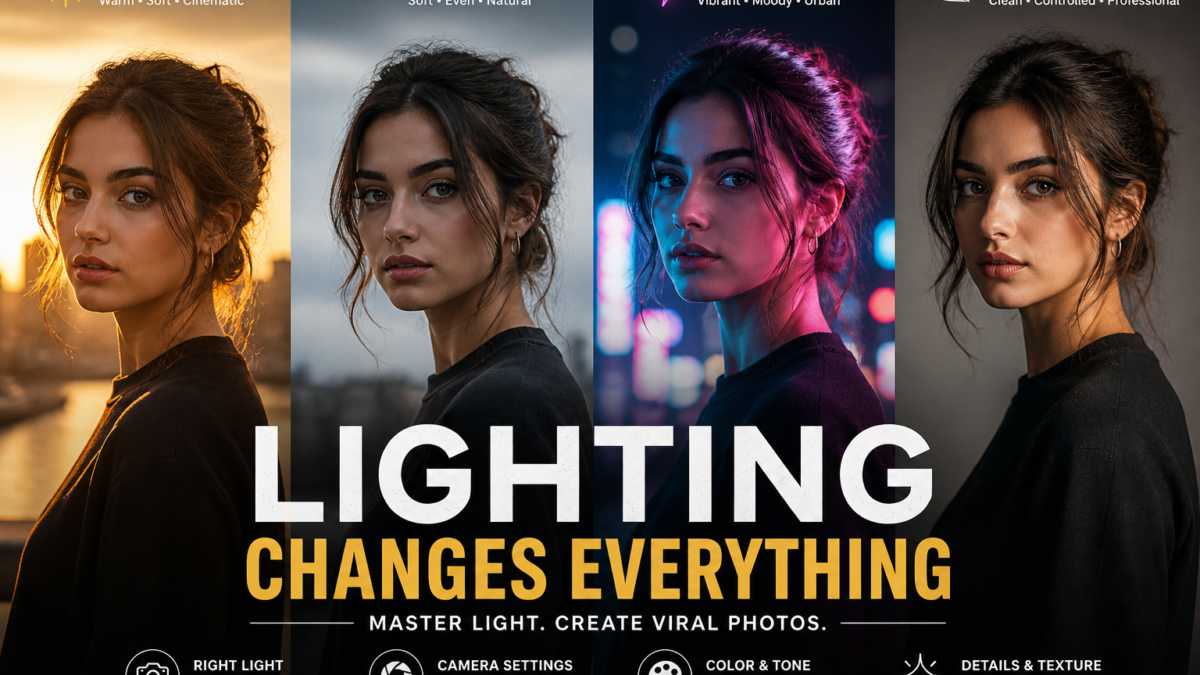
You spent time crafting the perfect post — and it got buried in the feed anyway. That frustration is real, and it happens to creators every single day. The problem is rarely the idea. It is almost always the visual.
The best ultra realistic Gemini AI prompt for viral photos is the missing piece most creators overlook. When you learn to communicate precisely with the AI, you stop generating generic filler images and start producing scroll-stopping visuals that feel like they came from a professional camera. This guide breaks down exactly how to do that — from technical parameters to copy-paste ready prompts you can use immediately.
Whether you are building a personal brand, running a content page, or managing social media for a business, these techniques will change how you approach AI image generation entirely.
Understanding How Gemini AI Processes Visual Prompts
Gemini AI does not search for existing photos and remix them. It constructs a brand new image from scratch based on every word you provide. This distinction is critical — because it means your language is your camera, your lens, and your lighting kit all at once.
When you submit a prompt, the system tokenizes your text and maps each concept to a learned set of visual attributes. Terms like “bokeh,” “golden hour,” or “f/1.8 aperture” are not just aesthetic preferences — they are direct technical instructions that change how the model calculates depth, brightness, and blur across the entire frame.
The Evolution from Early AI Art to Ultra Realistic Output
First-generation AI image tools produced results that were immediately recognizable as artificial. Hands had too many fingers. Faces looked like wax. Backgrounds melted into each other without logic or depth.
Modern models like Gemini have been trained on vastly larger datasets with a specific emphasis on photorealistic accuracy. The system can now render convincing skin pores, accurate light refraction, and coherent scene geometry. The gap between AI output and professional DSLR photography has narrowed to the point where many viewers cannot tell the difference — provided the prompt is written correctly.
Why Most Prompts Produce Mediocre Results
The single biggest mistake creators make is being vague. A prompt like “a beautiful woman standing outside” gives the model almost no usable constraints. The output will be generic because the instructions were generic.
Contrast that with: “a 30-year-old woman standing on a rain-soaked Tokyo street at 2am, neon signs reflecting in the puddles, shot on a Canon 5D Mark IV with an 85mm prime lens at f/1.4, natural skin texture with visible pores, slight motion blur on background pedestrians.”
That second prompt leaves little room for guesswork. Every word narrows the creative space the AI works within, which is exactly what produces ultra realistic results.
How to Write the Best Ultra Realistic Gemini AI Prompt for Viral Photos
The best ultra realistic Gemini AI prompt for viral photos follows a clear, layered structure. Think of it as building a scene from the ground up: subject first, then environment, then lighting, then technical camera settings, then mood and color.
Step 1 — Define Your Subject with Specificity
Start with a concrete, specific description of your primary subject. Replace generic nouns with detailed ones.
- ❌ “a man in a coat”
- ✅ “a 45-year-old fisherman wearing a worn yellow oilskin jacket, salt and pepper stubble, weathered hands gripping a rope”
The more biographical and physical detail you provide, the more individual and believable the subject becomes. Generic instructions produce stock photo results. Specific instructions produce portraits.
Step 2 — Set the Scene and Camera Angle
After defining the subject, describe the environment and the camera’s relationship to it.
- Low-angle shot — makes subjects appear powerful and imposing
- Eye-level shot — creates intimacy and connection with the viewer
- Bird’s eye / top-down — works for flat-lay compositions and architectural shots
- Dutch angle — adds tension and unease to dramatic scenes
Specify distance too. “Close-up portrait” and “wide environmental shot” produce fundamentally different outputs even with identical subject descriptions.
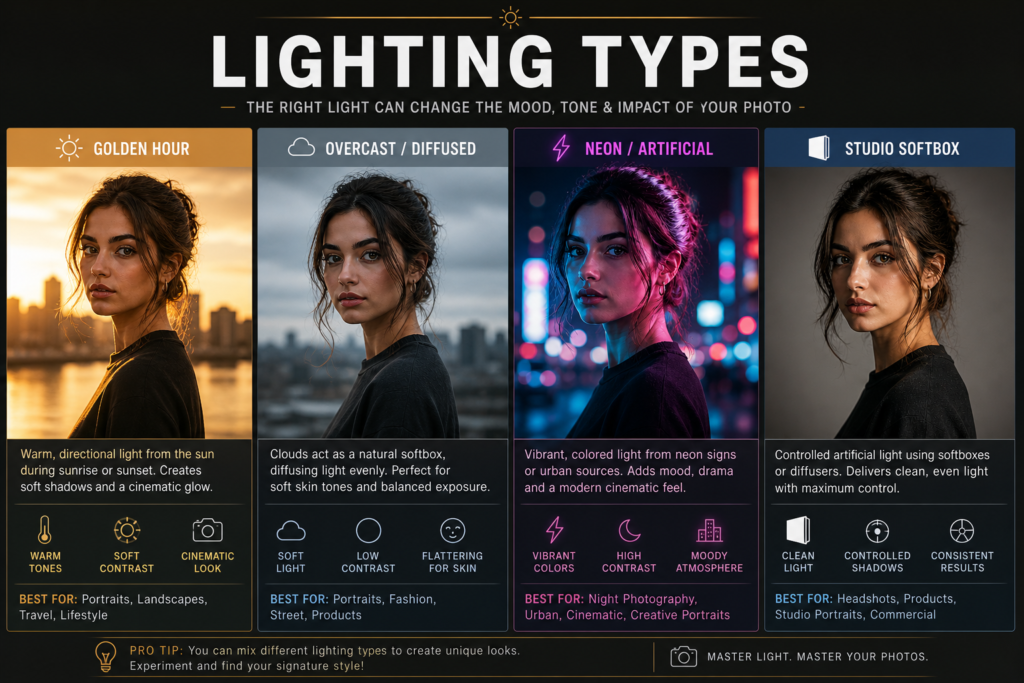
Step 3 — Specify Lighting Conditions
Lighting is the single most powerful mood variable in any photograph. These lighting descriptors consistently produce strong results in Gemini:
| Lighting Type | Effect | Best Use Case |
|---|---|---|
| Golden hour sunlight | Warm, flattering, cinematic | Portraits, landscapes |
| Overcast diffused light | Soft shadows, even tones | Fashion, food |
| Harsh midday sun | High contrast, sharp shadows | Street, documentary |
| Neon backlight | Vibrant, moody, urban | Nightlife, cyberpunk |
| Candlelight | Intimate, orange-toned | Portraits, lifestyle |
| Studio softbox | Professional, clean | Product, headshots |
Always pair a lighting type with a direction: “side-lit golden hour,” “front-lit studio softbox,” “backlit neon glow.”
Step 4 — Add Technical Camera Parameters
This is where most amateur prompts fall apart. Including real camera specifications tells the model to simulate the physical optics of professional photography equipment.
Essential camera parameters to include:
- Aperture:
f/1.4orf/1.8for shallow depth of field,f/8orf/11for deep focus - Lens:
85mm primefor portraits,35mm widefor environmental,200mm telephotofor compressed backgrounds - Camera body:
Canon 5D Mark IV,Sony A7R V,Nikon Z9,Hasselblad 907X - Shutter speed:
1/1000sto freeze motion,1/30sfor motion blur on moving elements - Film simulation:
Kodak Portra 400,Fujifilm Velvia,Ilford HP5for organic film grain
Example technical block:
Shot on a Sony A7R V, 85mm prime lens, f/1.6 aperture, 1/500s shutter speed, ISO 200, Kodak Portra 400 color grade
Step 5 — Describe Texture and Surface Detail
Texture is what separates a realistic AI image from a digital painting. Without explicit texture instructions, Gemini defaults to smooth, slightly plastic surfaces.
Use descriptors like:
- Skin: visible pores, natural skin texture, subtle blemishes, fine hair
- Fabric: rough linen weave, worn denim, silk sheen, distressed leather
- Environment: cracked concrete, wet cobblestones, peeling paint, rusted metal
- Nature: bark grain, dewy grass, mossy stone, wind-blown sand
Mastering Skin, Eyes, and Facial Realism
Human faces are the hardest element to generate convincingly. The brain is wired to detect subtle imperfections in faces — a phenomenon called the uncanny valley — which means any small mistake in a portrait immediately signals “artificial” to the viewer.
How to Avoid the Uncanny Valley
The primary cause of the uncanny valley effect is over-smoothing. Prompts that request “flawless skin” or “perfect complexion” trigger the model to apply a heavy digital filter that removes all the micro-details that make a face believable.
Replace idealized language with naturalistic language:
| Avoid | Use Instead |
|---|---|
| Perfect skin | Natural skin texture, visible pores |
| Bright clear eyes | Sharp catchlights, realistic iris veining, natural moisture |
| Smooth complexion | Subtle freckles, minor skin irregularities |
| Beautiful smile | Duchenne smile, natural crinkling around the eyes |
| Flawless | Authentic, organic, true-to-life |
Eye Detail Instructions That Work
Eyes are the focal point of every portrait. Catchlights — small reflections of the light source in the pupil — are what give eyes their sense of life and depth. Without them, a portrait looks dead.
Always include at least one of these in portrait prompts:
- sharp catchlights in both eyes
- realistic iris detail with visible radial texture
- natural eye moisture and slight redness at corners
- subtle crow’s feet at the outer eye corners
Creating Viral Landscapes and Urban Scenes
Landscape and architectural imagery performs exceptionally well on social media when it creates a sense of scale, mood, or discovery. The prompts that generate viral results consistently share three properties: atmospheric depth, a strong foreground anchor, and emotional lighting.
Using Atmospheric Perspective for Scale
Atmospheric perspective is the natural phenomenon where distant objects appear lighter, bluer, and less defined than close objects. Including this in your prompt creates a sense of vast depth that makes the viewer feel like they are standing inside the scene.
Prompt modifiers that trigger atmospheric perspective:
- subtle horizon haze
- atmospheric depth with color shift toward blue at distance
- layered mountain ridges fading into mist
- morning fog sitting in the valley below
Storytelling Through Environmental Detail
The landscape images that go viral are not just technically impressive — they feel inhabited. They suggest a history, a moment in time, or the presence of human life even when no person is visible.
Add environmental storytelling with modifiers like:
- a dirt path worn by years of foot traffic
- warm light spilling from a single lit window
- fresh tire tracks in wet mud
- laundry hanging between two stone buildings
- a half-eaten meal on a wooden table
These details cost you nothing in the prompt but add enormous narrative weight to the final image.
Advanced Techniques: Iterative Refinement and Negative Prompts
Even with a strong prompt, the first output is rarely the final output. Professional creators treat Gemini AI generation as an iterative process — not a one-shot solution.
How to Iterate Effectively
- Generate an image with your base prompt
- Identify the single most significant problem (not all problems at once)
- Adjust only the relevant modifier in the prompt
- Re-generate and compare
- Repeat until satisfied
Changing multiple variables at once makes it impossible to identify which change produced which result. Isolate variables like a scientist running a controlled experiment.
Negative Prompts: What to Exclude
Negative prompts tell the model what to filter out of the output. They are equally important as positive descriptors.
Standard negative prompt block to append to every generation:
--no watermarks, --no text overlays, --no blurry faces, --no distorted hands, --no extra fingers, --no double limbs, --no oversaturation, --no digital artifacts, --no plastic skin, --no lens flare, --no vignette, --no low resolutionAdd content-specific negatives based on the scene. For architecture: --no distorted geometry, --no warped perspective. For food: --no unnatural colors, --no artificial sheen.
Optimizing AI Photos for Social Media Virality
Technical quality alone does not make a photo go viral. The image must also align with the psychological triggers that cause people to stop scrolling, engage, and share.
Visual Hooks That Stop the Scroll
A visual hook is a single dominant element that captures attention within the first 0.3 seconds of viewing. Research from MIT’s Brain and Cognitive Sciences department found that the human brain processes images in approximately 13 milliseconds — meaning the hook must work at a subconscious level before the viewer consciously decides to engage. [Source: MIT BCS, Visual Processing Research, 2023]
Strong visual hook categories:
- Extreme contrast — very dark against very light, or saturated against desaturated
- Faces with direct eye contact — triggers an automatic social response
- Unusual scale — an object much larger or smaller than expected
- Implied motion — hair blowing, water mid-splash, fabric caught in wind
- Negative space — a small subject in a large, empty frame creates tension
Color Grading for Platform Performance
Different social platforms favor different aesthetic styles. Aligning your color grade with platform expectations increases the likelihood of algorithmic amplification.
| Platform | Trending Aesthetic | Recommended Grade |
|---|---|---|
| Moody editorial | Teal shadows, warm highlights | |
| TikTok | High contrast, vivid | Lifted blacks, punchy saturation |
| Soft and airy | Desaturated, pastel tones | |
| Clean professional | Neutral, high clarity | |
| X / Twitter | Documentary | High contrast, film grain |
Post-Processing Workflow for AI Images
Raw Gemini output is a starting point, not a finished product. A short post-processing pass elevates the image from “AI-generated” to “professionally produced.”
Recommended Editing Stack
Step 1 — Color Grade (Adobe Lightroom or Capture One) Apply a subtle color grade to align with your brand aesthetic. Adjust exposure, contrast, highlights, and shadows. Add a gentle S-curve for contrast.
Step 2 — Sharpening and Noise (Topaz Photo AI) AI upscalers like Topaz Photo AI or Magnific reconstruct fine detail and can increase resolution 4–8x without visible degradation. Run sharpening at 40–60% to recover edge clarity.
Step 3 — Organic Grain Overlay Adding 5–10% film grain in Lightroom or Photoshop bridges the gap between digital perfection and organic photography. This single step dramatically reduces the “AI look” on portraits.
Step 4 — Export at Platform Specification
- Instagram: 1080px × 1350px (portrait), sRGB, 85% quality JPEG
- Pinterest: 1000px × 1500px, sRGB
- LinkedIn: 1200px × 628px (landscape)
Ethical Considerations for AI-Generated Photography
As Gemini AI becomes more capable, the difference between a real photograph and a generated image becomes invisible to most viewers. This creates real responsibilities for creators.
Disclosure and Transparency
Most major platforms — including Instagram, TikTok, and YouTube — now require AI-generated content to be labeled. Beyond platform rules, disclosure builds trust with your audience. When viewers discover undisclosed AI content, the reaction is almost always negative regardless of the image quality.
Best practice: use a simple label like “Created with AI” in the caption, alt text, or image metadata. This protects your credibility long-term.
Copyright and Ownership
The legal status of AI-generated imagery is still being resolved in courts globally. In the US, the Copyright Office’s current position is that fully AI-generated images without meaningful human authorship cannot receive standard copyright protection. [Source: US Copyright Office, AI Policy Statement, 2023]
Practical steps to protect yourself:
- Review the terms of service for every AI tool you use
- Keep records of your prompts as evidence of creative input
- Avoid using AI tools to replicate the style of specific named photographers or living artists
- Do not use AI-generated faces of real people without consent
Frequently Asked Questions
What is the best ultra realistic Gemini AI prompt for viral photos?
The best prompt combines a specific subject description, precise camera settings (lens, aperture, shutter speed), detailed lighting conditions, and texture descriptors for surfaces and skin. Append a negative prompt block to exclude common artifacts. The more specific and layered your language, the more realistic and unique the output.
How do I stop Gemini AI from generating plastic-looking skin?
Avoid requesting “perfect” or “flawless” skin. Instead use naturalistic descriptors: visible skin pores, natural skin texture, subtle irregularities, fine facial hair. These instructions force the model to render micro-detail instead of applying a smoothing filter.
Can I use Gemini AI photos for commercial purposes?
It depends on the terms of service of the specific Gemini product you are using and the jurisdiction you operate in. Always review the current TOS before using AI-generated images commercially. When in doubt, consult a legal professional familiar with AI intellectual property.
What is a negative prompt and how do I use it?
A negative prompt tells the AI what to exclude from the output. Common examples: --no watermarks, --no distorted hands, --no plastic skin, --no blurry faces. Append your negative prompts at the end of your main prompt. They act as a quality filter that removes the most common generation artifacts.
How many times should I regenerate an image before accepting the result?
There is no fixed number, but most professional creators run 3–10 generations per concept. Change only one variable between runs so you can identify what each modifier controls. Keep a log of successful prompt combinations to build a reusable library over time.
Do I need to disclose that my photos are AI-generated?
Yes, on most major platforms. Instagram, TikTok, and YouTube have introduced requirements for labeling AI-generated content. Beyond legal compliance, disclosure is good practice for maintaining audience trust and long-term credibility as a creator.
Final Thoughts
The best ultra realistic Gemini AI prompt for viral photos is not a single magic formula. It is a disciplined layering of specifics: subject, environment, light, camera, texture, and constraint. Each element you add narrows the AI’s creative space and increases the precision of the output.
Start with the copy-paste templates in this guide, run iterations, and keep notes on what works. Over time you will build a personal library of modifiers that consistently produce the aesthetic you are after. The creators winning on social media right now are not using better ideas — they are using better prompts.
Here is your Prompt
| 🎯 Get Viral Result |
|---|
| Try Gemini New Prompt |
| ⚡ Use AI Prompt |