
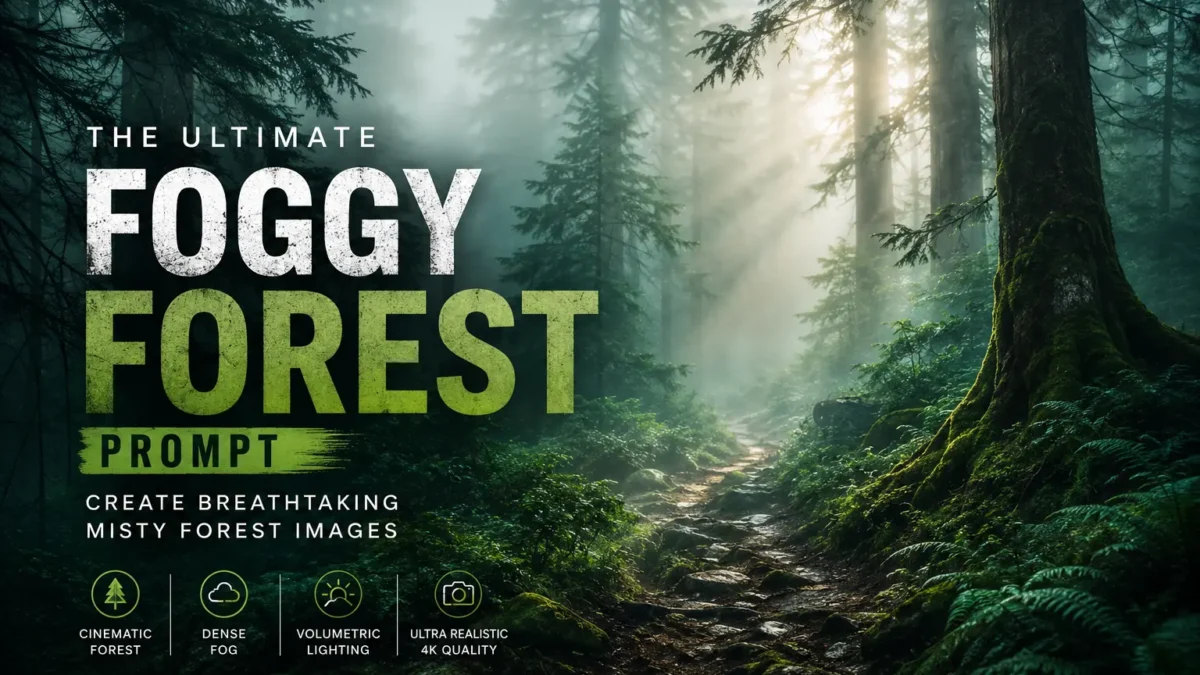
The foggy forest prompt is a powerful AI image generation prompt that transforms any image into a breathtaking, ultra-realistic forest scene shrouded in dense natural fog. This prompt creates that mysterious, enchanted forest atmosphere that seems to belong in a fantasy movie rather than an AI-generated image.
Whether you need stunning nature photography for your blog, captivating visuals for social media, wallpapers for your devices, or inspiration for digital art projects, this prompt delivers. The combination of dense fog, volumetric lighting, and rich forest color grading creates images that feel genuinely captured during a cold misty morning in an ancient woodland.
Below is a comprehensive guide with a copy-paste ready version that works with both ChatGPT and Gemini.
Related: Ultra Realistic AI Sunset Prompt | Premium Pixel Stretch Effect | Minecraft Death Screen Prompt | Anime Hybrid Prompt | Messi Photo Prompt
Understanding the Foggy Forest Aesthetic
The foggy forest represents one of the most evocative aesthetics in nature photography. There is something inherently mysterious and otherworldly about a forest shrouded in mist. The way light filters through the trees, the way sounds become muffled, the way the world seems to shrink to just what is immediately around you – all of these create an atmosphere that humans have found captivating for millennia.
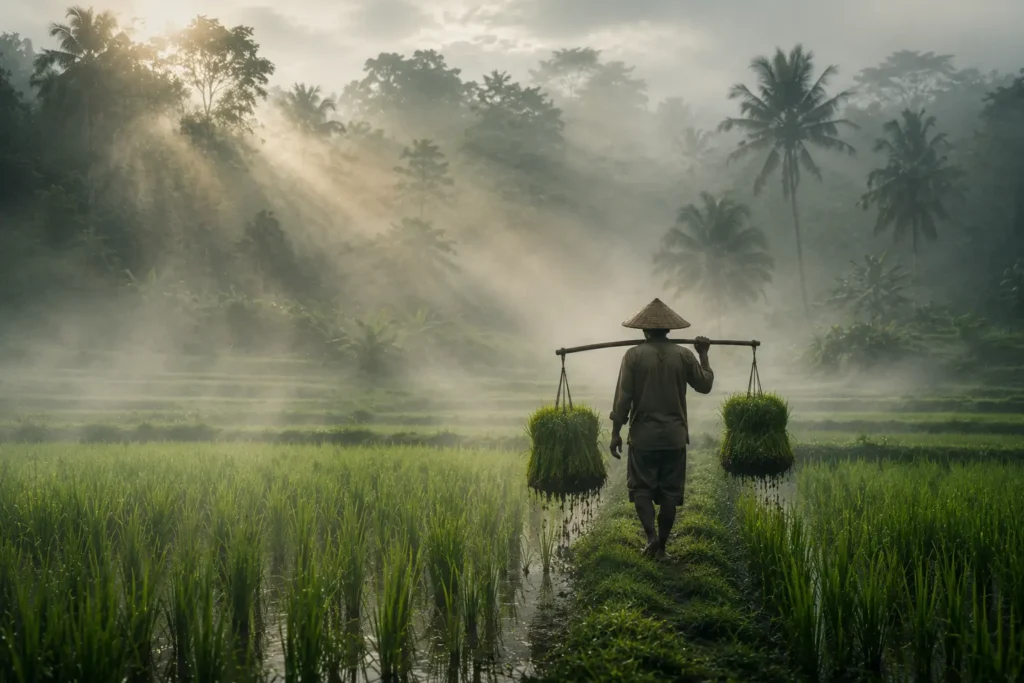
This prompt captures that essence by combining several key elements: dense natural fog, rich forest-inspired colors, volumetric light rays, and professional color grading. The result is an image that looks like it was captured by a professional nature photographer during the early morning hours when the mist is at its thickest.
The appeal of this aesthetic extends beyond simple beauty. Foggy forest images convey mood, mystery, and a sense of discovery. They suggest hidden paths, ancient secrets, and the possibility of something magical just beyond the next tree. This makes them perfect for digital art, website backgrounds, book covers, and any project that needs that touch of enchantment.
What This Prompt Creates
The foggy forest prompt is carefully crafted to generate a complete, professional-quality image. Each section of the prompt addresses a specific aspect of the final result:
Fog and Atmosphere
“Add dense natural white fog covering the entire environment, creating a mysterious and cinematic atmosphere” – This establishes the foundation of the image. The fog is described as “natural” rather than artificial, and it should cover the “entire environment” to create that complete shrouded feeling. The words “mysterious and cinematic” guide the AI toward the right mood.
Color Grading
“Apply rich forest-inspired color grading with deep emerald green, dark teal, moss green, and earthy brown tones” – This defines the color palette. These specific colors – emerald green, dark teal, moss green, and earthy brown – create that classic enchanted forest look. They suggest moss-covered trees, rich soil, and the particular green that seems to glow in foggy conditions.
Forest Enhancement
“Enhance the trees, foliage, and background elements to resemble a lush enchanted forest hidden in the mist” – This ensures the vegetation looks appropriate for the setting. The description “enchanted forest” guides the AI toward the slightly magical quality that distinguishes a truly captivating forest scene from a generic one.
Volumetric Lighting
“Introduce soft volumetric light rays subtly penetrating through the fog, creating depth and realism” – Volumetric lighting is one of the most striking features of foggy forest photography. The way light seems to form visible beams as it passes through mist is both beautiful and realistic. The word “subtly” ensures the effect does not look overdone.
Quality and Resolution
“Increase overall image quality to ultra-high-definition 4K resolution with razor-sharp details, HDR enhancement, realistic textures, balanced contrast, and natural color harmony” – These instructions ensure the final image looks professional. The combination of 4K resolution, HDR, and specific texture requirements tells the AI to generate with maximum quality.
Tonal Balance
“Improve shadows, highlights, and dynamic range while maintaining a realistic appearance” – This ensures proper tonal balance. The image should have both deep shadows and bright highlights, creating that full dynamic range that makes photographs look three-dimensional.
Mood and Style
“Add a moody woodland aesthetic, dreamy fog layers, atmospheric perspective, and professional cinematic photography grading” – These final touches establish the overall mood. “Atmospheric perspective” is a photography term that refers to the way distant objects appear hazier and bluer due to atmospheric conditions – this adds realism to the scene.
Final Quality Check
“The final result should look like a premium DSLR forest photograph captured during a cold misty morning, with ultra-realistic details, immersive depth, soft natural lighting, and stunning visual quality” – This final instruction serves as a quality check, ensuring all elements come together to create a cohesive, professional result.
Style Tags
“Style: Cinematic Forest Photography, Moody Nature, Dense Fog Weather, Volumetric Lighting, HDR, Ultra Realistic, Professional Color Grading, 4K Quality, DSLR Shot, Atmospheric Depth, Photorealistic” – These style tags provide additional guidance to the AI, helping it understand the intended aesthetic and quality level.
Best Uses for Foggy Forest Images
Foggy forest images have become incredibly popular across many platforms and use cases:
Wallpapers and Backgrounds
These images make stunning wallpapers for desktops, laptops, tablets, and phones. The high resolution and detailed quality ensure they look great on any screen size. The mysterious mood creates a calming, immersive background for everyday use.
Blog and Website Content
Bloggers writing about nature, photography, travel, or fantasy topics use these images as featured visuals. The professional quality adds credibility to the content while engaging readers visually.
Social Media Posts
Instagram, Pinterest, and nature enthusiast accounts share these images widely. The visual appeal generates engagement from followers who appreciate beautiful nature photography.
Digital Art Projects
Digital artists use these images as bases or inspiration for their projects. The enchanted forest aesthetic works well for fantasy artwork, game environments, and illustrations.
Book and Album Covers
The moody, mysterious aesthetic works perfectly for book covers, especially in the fantasy and mystery genres. Musicians also use these images for album artwork in ambient and atmospheric genres.
Marketing and Advertising
Brands in the outdoor, wellness, and sustainability sectors use these images for marketing materials. The natural, peaceful aesthetic conveys values of environmental consciousness and organic products.
How to Customize the Prompt
The foggy forest prompt is highly customizable. You can modify various elements to create different variations:
Change the Season
Modify the seasonal feel. Try “autumn fog” for golden and orange tones, “winter fog” for frost and snow, or “spring fog” for lighter, more vibrant greens.
Adjust the Fog Density
Change the fog amount. Try “light morning mist” for more visibility or “thick impenetrable fog” for maximum mystery.
Add Elements
Introduce additional elements. Add “waterfall in distance,” “wooden bridge,” “wildflowers,” or “deer in clearing” to add interest points to the scene.
Change the Time of Day
Modify the lighting. Try “golden hour” for warm light, “midday” for brighter conditions, or “blue hour” for more dramatic tones.
Add Wildlife
Include animals. Add “birds flying,” “fox in distance,” “deer at edge of clearing,” or “owl on branch” to add life to the scene.
Modify the Mood
Change the atmosphere. Try “eerie and unsettling” for horror vibes, “peaceful and meditative” for wellness content, or “mysterious and magical” for fantasy themes.
Copy the Foggy Forest Prompt
Paste directly into ChatGPT image generation or Gemini to transform your image.
Transform this image into a breathtaking ultra-realistic foggy forest masterpiece. Add dense natural white fog covering the entire environment, creating a mysterious and cinematic atmosphere. Apply rich forest-inspired color grading with deep emerald green, dark teal, moss green, and earthy brown tones. Enhance the trees, foliage, and background elements to resemble a lush enchanted forest hidden in the mist. Introduce soft volumetric light rays subtly penetrating through the fog, creating depth and realism. Increase overall image quality to ultra-high-definition 4K resolution with razor-sharp details, HDR enhancement, realistic textures, balanced contrast, and natural color harmony. Improve shadows, highlights, and dynamic range while maintaining a realistic appearance. Add a moody woodland aesthetic, dreamy fog layers, atmospheric perspective, and professional cinematic photography grading. The final result should look like a premium DSLR forest photograph captured during a cold misty morning, with ultra-realistic details, immersive depth, soft natural lighting, and stunning visual quality. Style: Cinematic Forest Photography, Moody Nature, Dense Fog Weather, Volumetric Lighting, HDR, Ultra Realistic, Professional Color Grading, 4K Quality, DSLR Shot, Atmospheric Depth, Photorealistic.Negative Prompt
Including a negative prompt helps avoid common issues. Copy this negative prompt and use it alongside the main prompt:
low quality, blurry, oversaturated, unnatural colors, flat lighting, harsh shadows, too bright, washed out, cartoonish, oversaturated green, fake fog, digital artifacts, noise, pixelated, flat depth, bad composition, cluttered, oversimplified.Tips to Get the Best Results
Start with a Nature Image
While this prompt can transform any image, starting with a nature photograph or landscape yields the best results. Images with trees, plants, or outdoor settings will transform most naturally into the foggy forest aesthetic.
Consider the Original Colors
Images with warm or neutral colors tend to transform better into foggy forest scenes. If your original image has very bright, saturated colors, the transformation might produce unexpected results.
Generate Multiple Variations
Generate several variations to find the best result. Some generations will have better fog density, more appealing lighting, or more realistic foliage than others. Do not settle for the first result.
Check the Resolution
Verify that the output maintains high resolution. The prompt specifies 4K quality, but some generations might produce softer results. Look for crisp details in the trees and foliage.
Evaluate the Fog Quality
The fog should look natural, not like a filter overlay. Look for subtle gradients where the fog is thicker near the ground and thinner higher up. The volumetric light rays should appear naturally, not artificially placed.
Save Your Best Results
Save your best outputs immediately. AI tools do not store generation history indefinitely, and you do not want to lose a great foggy forest image.
Why This Prompt Works So Well
The success of this prompt lies in its comprehensive approach to image generation. Rather than focusing on a single element, it addresses every aspect of what makes a forest photograph stunning:
The fog creates the atmosphere. The color grading establishes the mood. The volumetric lighting adds dimension and visual interest. The quality instructions ensure professional-level detail. The style tags reinforce the intended aesthetic.
By combining all these elements, the prompt generates an image that looks like it was captured by a professional photographer with years of experience in nature photography. The result is greater than the sum of its parts.
The Magic of Foggy Forests
There is something primal about foggy forests that speaks to human psychology. Throughout history, forests have represented the unknown, the mysterious, and the transformative. Fog amplifies these associations, creating spaces that feel both intimate and otherworldly.
When you look at a foggy forest image, part of your brain wonders what might be hidden in that mist. What lies beyond that next tree? What secrets does this enchanted forest hold? This sense of mystery is what makes these images so captivating and memorable.
The AI generation process captures this essence by combining technical precision with artistic atmosphere. The result is an image that not only looks beautiful but also evokes that deeper sense of wonder that we associate with forests shrouded in mist.
Final Thoughts
The foggy forest prompt represents the best of what AI image generation can achieve. It takes the technical requirements of professional photography – resolution, dynamic range, color grading – and combines them with the artistic vision of moody, atmospheric nature photography.
Whether you need a stunning wallpaper, blog imagery, social media content, or inspiration for your creative projects, this prompt delivers. The resulting images have the power to transport viewers to another world, even if just for a moment.
The key to success is starting with a good base image and generating multiple variations until you find the one that perfectly captures that enchanted forest atmosphere. Once you have your perfect foggy forest image, the possibilities for use are endless.
More creative AI prompts are published weekly on Sajjad IT. Check back for the next inspiring prompt to elevate your content.