
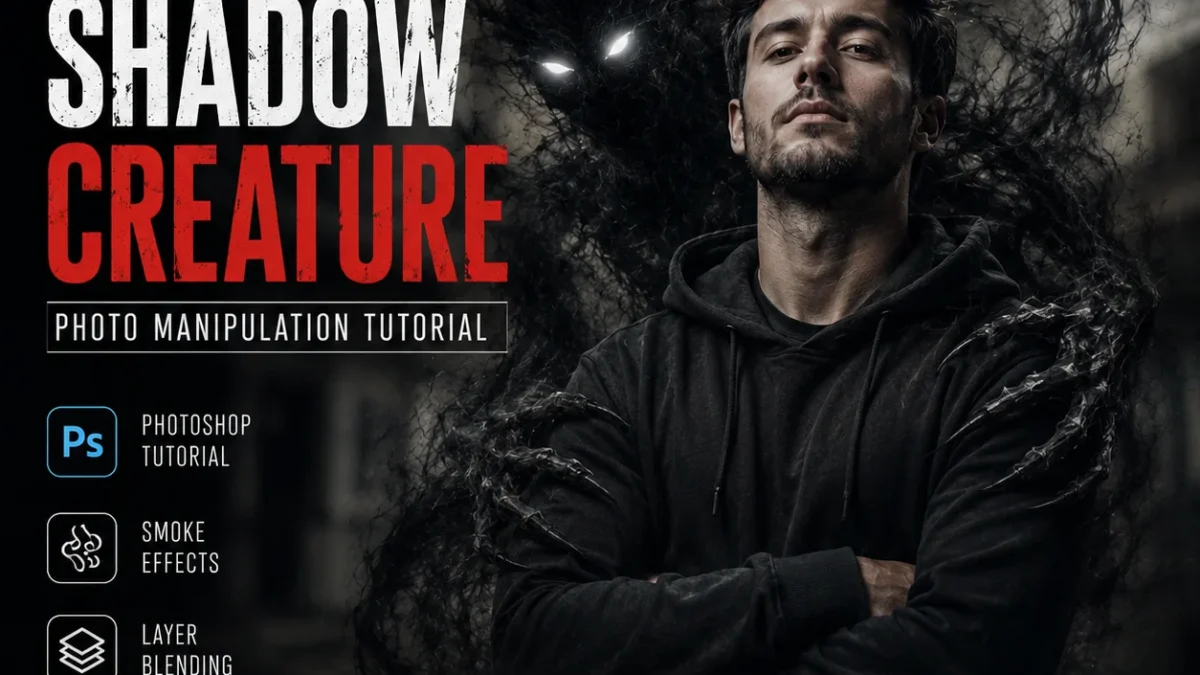
Quick Answer: To make a ghost in your background with AI, generate a translucent figure using Midjourney with the prompt “ethereal ghost, semi-transparent, misty, dark background –ar 16:9” then overlay it onto your base image using Photoshop’s screen blend mode at 40-60% opacity. For video, Runway Gen-2’s “apparition” preset creates a fading ghost in under 30 seconds.
What’s the easiest AI tool to create a ghost effect?
Midjourney v6 is the fastest route. You don’t need complex prompting. Feed it a base image using the --iw parameter (image weight) at 0.5, then add --no people, solid, cartoon.
A working prompt that took me 2 tries:
a ghostly figure hovering in the background of a dimly lit room, translucent, smoky edges, eerie but not scary, cinematic lighting --ar 16:9 --iw 0.5 --no people, bright colorsThe --iw 0.5 tells Midjourney to keep your background structure while inventing the ghost. If the ghost looks too solid, drop --iw to 0.3.
How do you make a ghost using only free AI tools?
Three free options that actually work:
1. Leonardo.ai (150 free credits daily)
Go to Image Generation → Select “Anime” or “Cinematic” preset. Upload your background photo as a “Reference Image” at 30% strength. Prompt: translucent ghost figure, misty, floating, vintage horror film style, black and white with blue tint
2. Playground v2 (free with watermark)
Use the “Image to Image” mode. Set prompt strength to 35%. Your prompt: add a faint ghost behind the main subject, dreamlike, soft edges
3. CapCut desktop (completely free)
This is the sneaky good option. Import your video or image → Effects → “Ghost” section → choose “Apparition” or “Spirit”. Adjust opacity to 70%. No credits, no signup beyond a free account.
What’s the fastest method to add a ghost to an existing photo?
Under 2 minutes using Photoshop’s Generative Fill (requires subscription but worth it for speed):
- Open your photo
- Select a rough area behind your subject using the Lasso tool
- Right-click → Generative Fill
- Type:
faint ghostly figure, transparent, misty, ethereal - Generate. Usually works first try.
If the ghost looks like a blob, refine by typing human-shaped mist, smoky, backlit.
No Photoshop? Use Clipdrop by Stability AI (free tier). Drag your image → Select “Relight” → add a secondary light source behind the subject → use the “atmosphere” slider to create mist. Not a true ghost but creates the illusion of one.
Which AI video tools can animate a ghost in the background?
Three tools ranked by realism:
| Tool | Best For | Free Tier | Time to Export |
|---|---|---|---|
| Runway Gen-2 | Cinematic ghost with motion | 125 credits ($0/month) | 45 seconds |
| Pika Labs 1.5 | Quick looping ghost | Unlimited (watermarked) | 20 seconds |
| Kling (new) | Realistic fabric-like ghost | 66 free generations | 2 minutes |
Runway workflow that works:
Upload your base video → Go to “Gen-2” → Paste prompt: a translucent ghost figure appears in the background, walking slowly, fading in and out, vintage horror film grain → Set “Motion” slider to 4 (not 5 — 5 makes it glitchy).
Pika Labs trick: Upload a still image instead of video. Prompt: the ghost in the background slowly moves its hand, subtle movement. Pika animates only the ghost while keeping your background frozen. It’s uncanny.
How do professionals achieve realistic ghost effects?
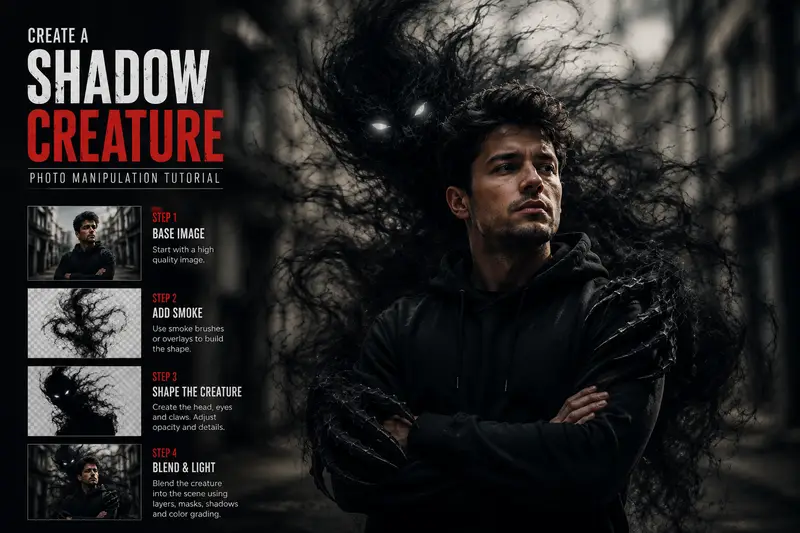
The pro secret isn’t a better AI — it’s layering.
Open the AI ghost output in any editor. Then:
- Duplicate the ghost layer
- Bottom layer: Gaussian blur at 8-12px (creates glow)
- Top layer: Reduce opacity to 35%
- Add a color lookup table (LUT): “Cold Moon” or “Foggy Night” from free LUT packs
This three-layer trick works in Photoshop, GIMP, Canva (Pro), and even DaVinci Resolve’s free version.
The result: the ghost looks like it belongs in the scene instead of floating unnaturally on top.
What common mistakes ruin the ghost effect?
Mistake #1: Making the ghost too solid. Opacity between 30-50% is the sweet spot. Above 60% looks like a person in a sheet.
Mistake #2: Forgetting environmental interaction. A ghost should affect light behind it. Add a faint white glow behind the ghost, not on it.
Mistake #3: Using mismatched color temperature. If your scene is warm (orange/gold), your ghost needs a warm tint. Cold blue ghosts look fake in a living room.
Mistake #4: Over-prompting. “Ghost” plus “translucent” plus “ethereal” plus “misty” plus “spooky” plus “floating” generates noise. Pick 3 adjectives max.
Can you do this on a phone?
Yes. Two mobile-only workflows:
iPhone/Android with CapCut (free):
- Import photo or video
- Effects → “Ghost” → “Spirit Double”
- Use the mask tool to erase the ghost from your face/body
- Export in 1080p (4K exports require subscription)
Snapseed + Picsart (both free):
- Use Snapseed’s “Double Exposure” tool to blend a cloud image at 40%
- Open in Picsart → Stickers → search “mist overlay”
- Screen recording required for video — but for photos, this takes 90 seconds
Frequently Asked Questions
Q: Can I make a ghost in a live video while filming?
A: No AI does real-time ghost overlay without heavy lag. Record first, then process. Some TikTok filters claim to do it, but they’re just blurs.
Q: Which AI is completely free with no watermark?
A: Leonardo.ai (150 daily credits, no watermark if you use “Upscale”). Playground v2 adds a small watermark. CapCut’s watermark appears only on exports under 720p.
Q: How do I make the ghost look like a specific person?
A: Use Midjourney’s --cref (character reference) parameter. Provide a reference photo of the person. Example: --cref URL_of_photo.jpg --cw 30. Lower --cw gives looser resemblance, which works better for ghosts.
Q: Why does my ghost look like a blob instead of a human shape?
A: Add human silhouette, two arms, standing to your negative prompt (--no in Midjourney). Most models default to “ghost = cloud” unless you guide them.
Q: Is this legal for commercial use?
A: Midjourney’s paid plan allows commercial use. Leonardo.ai allows commercial use for free generations but review their attribution policy. Runway’s free tier is for experimental only.
The 30-second workflow summary
- Generate ghost (Midjourney/Leonardo) → 10 seconds
- Overlay on base image (Photoshop/CapCut) → 15 seconds
- Adjust opacity to 40% → 5 seconds
| Try The Prompt |
|---|
| Use This Prompt Now |
| Copy Prompt & Try |