
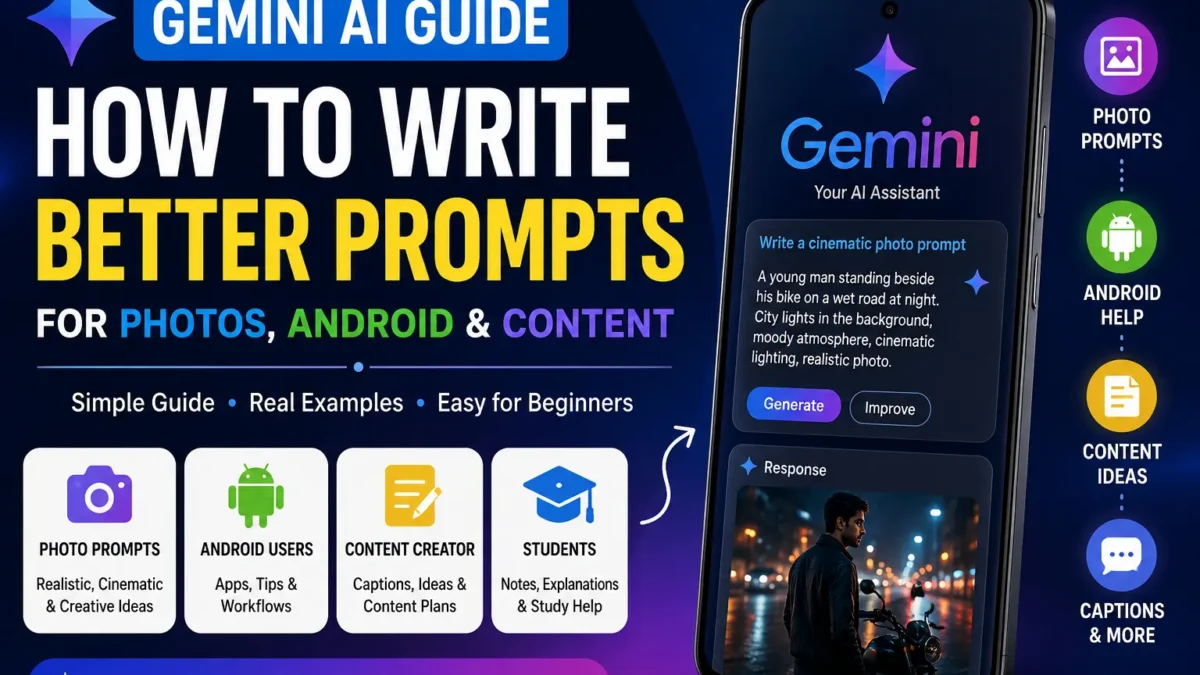
Gemini AI is useful, but only when your prompt feels clear and real. If you type one lazy sentence, you usually get a flat answer. But when you explain the scene, emotion, style, and final result, Gemini can help you build better photo ideas, captions, Android workflows, and content plans.
This guide is written for normal users, not prompt engineers. You do not need technical words. You only need to explain what you want like you would explain it to a real editor, photographer, teacher, or assistant.
This is the main Sajjad IT guide for Gemini AI. Start here if you are new to Gemini, then move into the linked guides for realistic Gemini photo prompts, cinematic AI photo editing prompts, AI image ideas, and Android photo editing apps.
Quick Answer: What Is Gemini AI Best For?
Gemini AI is best for turning a rough idea into something usable. You can use it for photo prompts, image concepts, captions, app comparisons, summaries, study notes, Android help, content planning, and step-by-step explanations.
The key is to stop asking tiny prompts and start giving direction.
Weak prompt:
Give me photo promptBetter prompt:
Create a realistic cinematic portrait prompt for a young man standing beside a black motorcycle after sunset. He looks calm and confident, like a quiet moment before a long ride. Use soft golden street lights, wet road reflections, natural skin texture, sharp eyes, shallow depth of field, and premium DSLR portrait style. Keep face natural and recognizable. Avoid cartoon style, plastic skin, extra fingers, distorted hands, fake smile, blurry face, and over-edited colors.The second prompt works because it includes subject, emotion, scene, lighting, camera style, quality details, and things to avoid.
What You Will Learn
- what Gemini AI can do in everyday use
- how to write prompts that sound clear, not robotic
- how to add emotion, scene, camera style, and lighting
- Gemini prompts for realistic photo editing ideas
- Gemini prompts for Android users and creators
- how to avoid duplicate-looking AI images
- how to improve weak Gemini answers
- which Sajjad IT guides to read next
What Is Gemini AI?
Gemini AI is Google’s AI assistant. You can ask it questions, request ideas, rewrite text, summarize content, explain topics, compare apps, plan posts, and create prompts.
For beginners, the best thing about Gemini is that you can write normally. You do not need code. You do not need advanced AI terms. You only need to describe your goal clearly.
You can use Gemini AI for:
- photo editing prompt ideas
- AI image prompt writing
- Instagram and Facebook captions
- Android app suggestions
- phone troubleshooting
- study notes and simple explanations
- YouTube Shorts ideas
- blog outlines and content plans
- translation, rewriting, and summaries
Gemini is helpful, but it is not perfect. It can make mistakes or give generic answers. Always check important facts, rewrite final content in your own voice, and add real examples when publishing.
How Gemini AI Works in Simple Words
Gemini reads your instruction and tries to produce the most useful answer from the details you give. If your prompt is short, Gemini must guess. If your prompt is clear, Gemini has less room to misunderstand.
Think of it like speaking to a photographer. If you only say “take a nice photo,” the result can be anything. If you say “take a soft sunset portrait beside a bike with warm light and natural skin tone,” the result has direction.
Bad instruction:
Make captionBetter instruction:
Write 5 short Instagram captions for a cinematic bike photo. Tone should be calm, confident, and stylish. Keep each line natural. Avoid cringe attitude quotes and overused lines.Clear prompts save time and make the output easier to use.
Best Gemini AI Prompt Formula
Use this simple formula:
Task + Subject + Emotion + Scene + Style + Details + Format + AvoidThis formula works better than plain keyword prompts because it gives Gemini a full picture.
Example 1: Realistic photo editing prompt
Create one realistic AI photo editing prompt for a young man in a black denim jacket standing on an empty city road at night. Mood: calm, confident, cinematic. Scene: wet road, soft street lights, blurred background lights, light mist in the air. Camera style: DSLR portrait, 85mm lens look, shallow depth of field, sharp eyes, natural skin texture. Output should feel like a premium Instagram portrait, not an AI cartoon. Avoid extra fingers, distorted hands, fake face, plastic skin, harsh colors, and messy background.Example 2: Android app help
Suggest 5 free Android apps for editing social media photos. I need background blur, color correction, face retouching, text overlays, and HD export. Give pros, cons, best use case, and beginner difficulty in a simple table.Example 3: Study help
Explain photosynthesis for a class 8 student. Use simple language, short paragraphs, one real-life example, and 5 revision questions with answers. Avoid complicated scientific wording unless you explain it first.How to Write Better Gemini Prompts
A strong Gemini prompt usually includes:
- Goal — what you want Gemini to do
- Subject — who or what output is about
- Emotion — calm, happy, serious, dramatic, confident
- Scene — location, background, time, weather
- Style — realistic, cinematic, simple, professional, beginner-friendly
- Details — lighting, outfit, color, camera, format
- Limits — what to avoid
Example:
Act as a professional AI photo prompt writer. Create 5 realistic Gemini AI photo editing prompts for a young man in street fashion style. Each prompt should include emotion, outfit, background, lighting, camera look, and negative details. Keep the tone natural and avoid overused viral words. Format each prompt with a short title and one full copy-ready prompt.This gives Gemini a role, task, creative direction, and output format.
Gemini AI for Photo Editing Prompts
One of the best uses of Gemini AI is creating realistic photo editing prompts. The goal is not only to make an image look “cool.” The goal is to make it feel believable.
A good photo prompt should mention:
- subject and pose
- emotion or expression
- outfit and color style
- location and background
- lighting and weather
- camera look
- image quality details
- negative details to avoid
Strong prompt example:
Create a realistic cinematic portrait of a young man standing beside a black sports bike after sunset. He is looking slightly away from the camera with a calm, confident expression. Outfit: black denim jacket, dark jeans, clean sneakers. Background: quiet city road, soft bokeh lights, wet asphalt reflections, light evening mist. Lighting: warm street light on one side, soft shadow on the other side, natural skin tone. Camera style: premium DSLR portrait, 85mm lens look, shallow depth of field, sharp eyes, realistic face texture. Avoid cartoon style, plastic skin, extra fingers, distorted hands, fake smile, blurry face, unrealistic bike shape, and oversaturated colors.This prompt stands out because it tells a small story. It does not only list effects. It gives the image a mood.
Standout Gemini Photo Prompt Ideas
Use these as starting points. Change face, outfit, place, season, and mood so your images do not look copied.
1. Quiet bike portrait
Create a realistic cinematic portrait of a young man sitting on a black sports bike near an empty roadside tea stall after sunset. He looks relaxed and thoughtful, like he is taking a break during a long ride. Add warm shop lights, soft smoke in the background, wet road reflections, natural skin tone, sharp eyes, black jacket, and DSLR-style background blur. Avoid cartoon look, fake bike parts, extra fingers, distorted face, plastic skin, and over-sharpened details.2. Clean profile picture
Create a clean realistic profile portrait of a young man wearing a simple black shirt against a dark grey studio background. Mood should be calm, mature, and confident. Use soft side lighting, natural face texture, sharp eyes, slight natural smile, realistic hair detail, and premium LinkedIn-style portrait quality. Avoid beauty filter look, plastic skin, heavy makeup, distorted ears, blurry eyes, and fake background.3. Rainy city night portrait
Create a cinematic rainy night portrait of a young man standing under soft neon lights on a quiet city street. He is wearing a black jacket and looking toward the camera with a serious but natural expression. Add rain droplets on jacket, wet road reflections, blurred city lights, soft blue and orange color contrast, sharp face detail, and realistic skin texture. Avoid extra fingers, warped hands, fake rain, cartoon colors, and unnatural face smoothing.4. Couple golden hour photo
Create a realistic golden hour couple portrait in a quiet park. The couple is walking side by side, smiling naturally, not posing too much. Add warm sunlight through trees, soft background blur, natural clothing, gentle color grading, realistic hands, and DSLR portrait style. Keep the emotion simple and real. Avoid fake smiles, distorted fingers, plastic skin, over-bright background, and cartoon style.5. Eid portrait prompt
Create a realistic Eid portrait of a young man wearing elegant traditional clothes in a softly decorated indoor setting. Mood should feel warm, respectful, and festive. Add soft golden lights, clean background, natural smile, sharp face detail, realistic fabric texture, and premium mobile photography style. Avoid fake jewelry, distorted hands, plastic skin, heavy filters, and unrealistic decorations.6. Streetwear editorial poster
Create a cinematic streetwear editorial poster of a young man standing near a concrete wall with soft afternoon light. Outfit: oversized jacket, plain t-shirt, relaxed jeans, clean sneakers. Mood: confident but not aggressive. Add magazine-style framing, muted colors, realistic shadows, natural skin texture, clean typography space on one side, and high-end fashion poster look. Avoid messy text, fake logos, distorted shoes, extra fingers, and overprocessed HDR colors.For more examples, read Top 10 Trending AI Photo Editing Prompts and Cinematic Instagram Creator Style AI Prompt.
Gemini AI for Image Ideas
Sometimes you do not need a final prompt. You need ideas first. Gemini can help you choose a concept before you create the full image prompt.
Example:
Give me 10 realistic AI image ideas for Instagram profile pictures. Theme: young man, modern fashion, clean background, premium but natural look. For each idea, include outfit, location, lighting, emotion, and camera style.Good image ideas can include:
- streetwear portrait at night
- bike photo after sunset
- clean studio profile portrait
- rainy city photo
- traditional outfit portrait
- rooftop evening portrait
- coffee shop lifestyle photo
- mobile photography portrait
After choosing an idea, ask Gemini to turn it into one detailed prompt:
Turn idea number 3 into one detailed realistic image prompt. Make it natural, emotional, and suitable for an Instagram profile picture. Include lighting, camera style, outfit, background, and negative details.If your images start looking the same, read how to generate unique AI images that actually stand out.
Gemini AI for Android Users
Gemini is useful for Android users because many daily tasks happen on phone. You can ask Gemini for app suggestions, settings help, photo ideas, captions, summaries, and step-by-step guides.
If you mainly create on mobile, pair Gemini with practical tools from best photo editing Android apps for beginners and Android camera apps with AI features.
Useful Android prompts:
I use an Android phone and want to edit photos for Instagram. Suggest 5 free apps for background blur, color grading, face retouching, text design, and HD export. Give pros, cons, best use case, and beginner difficulty.My Android phone storage is almost full. Explain safe ways to free storage without deleting important photos, videos, or WhatsApp files. Give steps for beginners and mention what not to delete.Suggest Android apps for making YouTube Shorts thumbnails. I need free apps with text, background removal, stickers, templates, and HD export. Compare them in a simple table.For camera-focused users, also read GCam XML Config File and LMC Camera Guide.
Gemini AI for Students
Students can use Gemini for learning, revision, summaries, and practice. But do not use it to copy homework blindly. That does not help you learn, and the answer may still contain mistakes.
Better student prompts:
Explain this topic in simple language with examples. Assume I am a beginner and give me 5 revision points at the end.Create 10 quiz questions from this chapter with short answers. Mix easy and medium questions.Summarize this paragraph into simple study notes. Keep important terms but explain them clearly.Best method:
- ask Gemini to explain
- read the answer carefully
- check with textbook or trusted source
- rewrite in your own words
- practice questions without looking first
Gemini AI for Content Creators
Creators can use Gemini to plan faster, but final content should still feel personal. A good creator adds testing, screenshots, examples, opinions, and real use cases.
Example YouTube prompt:
Create 10 YouTube Shorts ideas about Android photo editing apps. Audience is beginners. Each idea should include title, 3-second hook, 3 talking points, suggested visual, and ending line.Example caption prompt:
Write 5 short Instagram captions for a cinematic bike photo. Tone should be calm, confident, and stylish. Avoid cringe attitude quotes, overused one-liners, and fake motivational lines.Example blog prompt:
Create a helpful article outline about best Android camera apps. Include introduction, app comparison table, pros and cons, who should use each app, common mistakes, FAQs, and conclusion.Best Gemini Prompt Templates
Copy these templates and edit details for your own task.
Realistic Photo Prompt Template
Create a realistic [photo type] of [subject]. Emotion: [calm/confident/happy/serious]. Scene: [location, time, weather]. Outfit: [clothing]. Lighting: [soft sunlight/neon/studio/golden hour]. Camera style: [DSLR/mobile portrait/85mm lens/shallow depth of field]. Add [important details]. Keep it natural and believable. Avoid [bad details, distortions, fake look].Image Idea Template
Give me [number] AI image ideas for [platform/use]. Theme: [theme]. For each idea, include subject, outfit, location, lighting, emotion, camera style, and why it would look good.Caption Template
Write [number] captions for [photo/topic]. Tone should be [style]. Keep each caption under [number] words. Make it natural and avoid [things you dislike].Android Help Template
I use an Android phone. Help me [task]. Give safe step-by-step instructions, app suggestions if needed, beginner warnings, and common mistakes to avoid.Study Template
Explain [topic] for [class/level]. Use simple language, examples, bullet points, and 5 revision questions with answers. Explain hard terms clearly.Common Gemini AI Mistakes
1. Asking vague questions
Bad:
Best prompt?Better:
Create 5 realistic Gemini AI photo editing prompts for a young man wearing streetwear in a rainy city background. Each prompt should include emotion, lighting, pose, camera look, and negative details.2. Forgetting emotion
Many AI images look empty because prompt has no feeling. Add words like calm, focused, joyful, tired, confident, thoughtful, peaceful, or dramatic.
3. Copying output without editing
AI text can sound flat. Rewrite it. Add real examples, screenshots, testing notes, or personal experience.
4. Forgetting negative details
For image prompts, always mention what to avoid.
Avoid cartoon style, extra fingers, blurry face, plastic skin, distorted eyes, fake smile, warped hands, and unrealistic background.5. Reusing the same prompt everywhere
Change background, lighting, outfit, mood, pose, camera angle, and season. Repeating same prompt makes your content look duplicate.
How to Improve Weak Gemini Answers
If Gemini gives weak output, do not stop. Use follow-up prompts.
Make this answer more practical and beginner-friendly.Rewrite this in a natural human tone. Avoid generic AI wording.Add emotion, camera details, lighting, and negative constraints to this photo prompt.Make this prompt more realistic and less over-edited. Keep natural skin tone and believable background.Turn this into a table with pros, cons, best use case, and beginner difficulty.Follow-up prompts are often where the best result comes from.
Gemini AI Topic Cluster on Sajjad IT
Use this section as your starting point. These guides support this Gemini pillar page and help you go deeper into prompts, AI images, photo editing, and Android tools.
Gemini and AI Photo Prompt Guides
- Best Ultra Realistic Gemini AI Prompt for Viral Photos — realistic prompt guide for viral-style portraits.
- How to Make Gemini Generate Your Face Consistently — useful when AI keeps changing your face.
- Top 10 Trending AI Photo Editing Prompts — cinematic prompt examples for stylish images.
- Cinematic Instagram Creator Style AI Prompt — poster and collage style prompt tutorial.
- AI Soccer Poster Prompt Guide — sports poster prompt example with Argentina and Brazil styles.
AI Image Editing and Creative Guides
- How to Change Your Dress With AI — step-by-step clothing change workflow.
- Turn Your Photo Into a Cinematic Streetwear Editorial Poster — fashion-style AI edit guide.
- Create AI Hairstyle Analysis Posters Using Your Own Photo — hairstyle poster workflow.
- Create Viral Chibi Collage Images With AI — playful collage-style image guide.
- Generate Unique AI Images That Actually Stand Out — originality and idea guide.
- How to Make Any Image 4K With AI — improve image quality after generation.
Android Photo Editing and Camera Guides
- Best Photo Editing Android App for Beginners — beginner app guide for mobile editing.
- Best Android Camera Applications With AI Features — camera app comparison for Android users.
- GCam XML Config File and LMC Camera Guide — camera setup guide for better mobile photos.
Recommended Reading Path
- Start with this Gemini AI guide.
- Read the ultra realistic Gemini prompt guide.
- Try cinematic AI photo editing prompts.
- Improve mobile editing with Android photo editing apps.
- Use unique AI image ideas when you want less generic results.
Is Gemini AI Free?
Gemini has free and paid options depending on country, Google account, app version, and current Google features. Many basic tasks can be done with free access. Some advanced features may need a paid plan or may not be available everywhere.
Is Gemini AI Good for Beginners?
Yes. Gemini is beginner-friendly because you can ask questions in normal language. Beginners should start with captions, topic explanations, photo prompt ideas, Android app suggestions, summaries, and simple study notes.
Final Thoughts
Gemini AI becomes useful when your prompt has direction. Add subject, scene, emotion, lighting, camera style, format, and negative details. Then check the result, improve it, and add your own taste.
If you want better images, do not copy one prompt forever. Build your own style. Change the setting, mood, clothing, light, and story. That is how your AI images start looking personal instead of generic.
FAQs
What is Gemini AI used for?
Gemini AI is used for answering questions, writing help, photo prompt ideas, Android help, summaries, study explanations, captions, planning, and content ideas.
Can Gemini AI create photo editing prompts?
Yes. Gemini can create detailed photo editing prompts for portraits, bike photos, couple photos, fashion photos, travel photos, and profile pictures.
How do I write a good Gemini AI prompt?
Use clear details. Mention task, subject, emotion, scene, lighting, camera style, output format, and what to avoid.
Why do Gemini prompts sometimes look generic?
Prompts look generic when they miss emotion, setting, lighting, and specific details. Add a small story, natural mood, and negative constraints to improve results.
Is Gemini AI useful for Android users?
Yes. Android users can use Gemini for app suggestions, phone help, captions, summaries, translations, photo editing ideas, and content planning.
Should I copy Gemini answers directly?
No. Check facts, rewrite in your own voice, and add original examples or screenshots before publishing anything.